

How to Prevent Knowledge Gaps With Smart Employee Matching
Knowledge gaps grow when employees do not know who can help them, where experience lives, or how to reach the right person before work slows down. Smart employee matching prevents those gaps by creating repeatable connection paths across teams, locations, and roles so knowledge moves through real relationships instead of chance.
For People teams, the practical goal is not to schedule more random chats. The goal is to make useful introductions happen early enough that new hires, remote employees, regional teams, and functional experts can find one another without adding another manual coordination task to HR’s plate.
Why knowledge gaps keep showing up in connected companies
Most companies already have documentation, chat channels, meetings, and onboarding checklists. Yet employees still get stuck because the missing piece is often social: who has solved this before, who knows the customer context, who understands the local office reality, or who can explain how a decision actually gets made.
That kind of knowledge rarely sits neatly in a folder. It lives across managers, project leads, long-tenured teammates, regional operators, and peers who have learned the work by doing it. When those people are visible only inside their own department, everyone else has to rely on personal networks, repeated questions, or slow escalation.
The result is familiar. New hires take longer to become confident. Regional teams reinvent processes. Managers become bottlenecks. Cross-functional projects repeat mistakes because nobody knew who to ask. Employees may be surrounded by information, but still lack a trusted path to the person who can make the information useful.
What smart employee matching changes
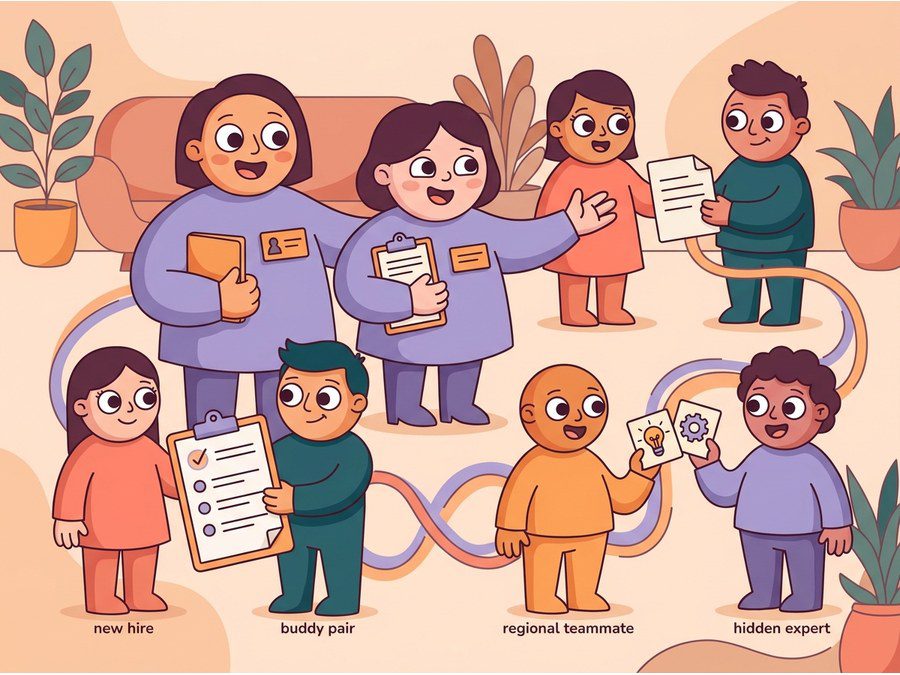
Smart employee matching turns connection into an operating habit. Instead of pairing people randomly and hoping the conversation becomes useful, you match employees around a clear purpose: onboarding buddies, mentoring, peer learning, knowledge sharing, cross-team collaboration, or team connection.
A good matching program considers practical context. Department, location, tenure, role, interests, skills, and program goals all matter. A new sales hire may need a buddy who understands the company’s buyer process. A regional operations lead may need to meet peers in another market. A product manager may need an informal path to customer-facing knowledge. The best match is the one that helps a real work need move forward.
This is where LEAD.bot fits the People Ops workflow. LEAD.bot works inside Slack and Microsoft Teams, supports random, manual, cross-team, and smart matching, and helps teams run connection programs without turning HR into a scheduling desk. You can use it for onboarding buddies, mentoring pairs, virtual coffee, peer learning, and cross-department connections while keeping the experience lightweight for employees.
Start with the gaps you actually need to close
Before you build a matching program, name the knowledge gap in plain language. Are new hires missing informal context after week one? Are regional teams disconnected from headquarters? Are junior employees unsure who can coach them? Are subject-matter experts overloaded because every question routes to the same few people?
Once the gap is clear, the program design becomes simpler. If onboarding is the problem, match each new hire with an onboarding buddy and one role-adjacent peer. If regional silos are the problem, create recurring cross-location pairs with prompts around local practices and lessons learned. If knowledge sharing is the problem, match employees by skill, project exposure, or interest area so hidden experts become easier to find.
Do not overcomplicate the first version. A tight program with a clear reason for meeting will beat a broad, vague networking campaign. Employees are more likely to say yes when they understand why the connection matters and what kind of conversation would be useful.
Make the connection feel human, not mechanical
The fastest way to weaken an employee matching program is to make it feel like an administrative assignment. People should know the match has a purpose, but the conversation should still feel warm and natural. Simple prompts help: what is one thing you wish you had known earlier, who helped you understand how work gets done here, or what process works differently in your region?
These prompts keep the exchange practical without forcing a scripted meeting. They also help quieter employees participate because they do not have to invent an agenda from scratch. Over time, the organization gets more trust paths: employees know who has lived experience, who is approachable, and where to go before a knowledge gap turns into a delay.
If your team is already improving onboarding, start with this guide to onboarding buddy programs that build knowledge flow. If your challenge is cross-team collaboration, this piece on trust paths for knowledge sharing shows why relationships matter as much as documentation.
Reduce admin work with set-and-forget structure
Manual matching can work for a small pilot, but it breaks down when the program has to run every month across departments, offices, and time zones. People teams end up managing spreadsheets, reminders, opt-outs, and follow-ups. The program depends on one coordinator’s memory instead of a repeatable system.
A set-and-forget structure solves that problem. Define the audience, matching rules, cadence, and prompts once, then let the program run inside the collaboration tools employees already use. LEAD.bot is built for this kind of low-admin connection program in Slack and Microsoft Teams, so People teams can keep onboarding, mentoring, knowledge sharing, and team connection moving without rebuilding the workflow every cycle.
The operational benefit is important: better matching does not have to mean more complexity. It should mean fewer manual decisions, more relevant introductions, and better visibility into whether the program is reaching the right parts of the organization.
Measure whether knowledge is moving
You do not need to measure every conversation. You do need to know whether the program is improving organizational network health. Look for signs such as faster new-hire confidence, broader participation across departments, fewer repeated questions, stronger cross-location relationships, and more employees who can name someone outside their immediate team who helps them do better work.
Pulse surveys can add useful feedback here. Ask whether employees know who to go to for help, whether they have made a useful cross-team connection recently, and whether onboarding or mentoring conversations helped them understand how work really gets done. LEAD.bot includes pulse surveys and relationship intelligence features that help People teams connect matching activity to the health of the broader organizational network.
For a practical next step, review how to match employees across departments without adding admin work. Then choose one knowledge gap, one audience, and one matching cadence. You do not need a complex program to start. You need a repeatable way for the right people to find each other before work gets stuck.