

How to Match Employees Across Departments Without Adding Admin Work
You match employees across departments by starting with a clear business purpose, setting a few simple eligibility rules, and letting the program run inside the tools your team already uses. The goal is not to create more meetings; it is to make the right conversations happen with less manual coordination from People teams.
Cross-department connection programs are becoming a practical response to silos, uneven onboarding, and hidden expertise. When employees only know the people in their direct team, decisions slow down, knowledge gets trapped, and new hires take longer to understand how work really moves. LEAD.bot helps you turn employee matching into a repeatable system for team connection, onboarding buddies, knowledge sharing, and trust paths inside Slack and Microsoft Teams.
Start with the outcome, not the pairing rule
The fastest way to overcomplicate employee matching is to begin with every possible rule you could use. Department, location, seniority, manager level, tenure, function, interest, and language can all matter. But if you try to optimize everything at once, the program becomes hard to explain and even harder to maintain.
Start with one outcome. Do you want new hires to find helpful context faster? Do you want regional teams to share customer knowledge? Do you want engineers, salespeople, and customer success managers to understand each other’s constraints? The outcome tells you which matching logic matters and which details can wait.
For example, a knowledge sharing program may pair people across functions but within adjacent product areas. An onboarding buddy program may pair a new hire with someone outside their reporting line but close enough to answer practical questions. Each program needs a different matching shape.
Keep your first matching design simple
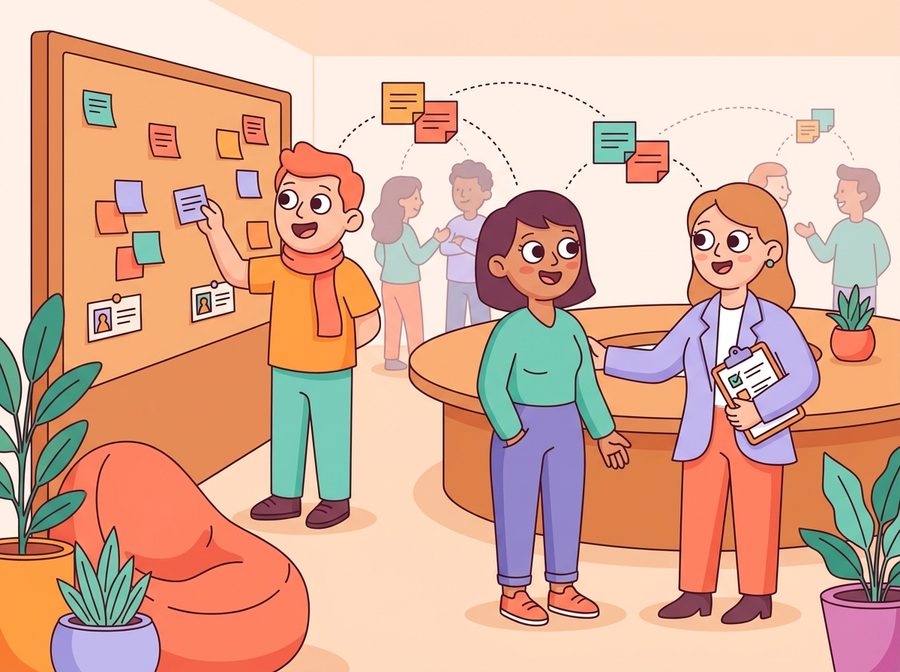
A practical cross-department program can start with three decisions:
- Who should be included? Define the group clearly: all new hires, all managers, all employees in two regions, or all customer-facing teams.
- Who should not be matched? Exclude direct managers, direct reports, teammates who already work together every day, or people in the same small office if the goal is cross-team connection.
- What should the conversation accomplish? Give the pair a simple prompt: share one workflow shortcut, explain one team dependency, or introduce one hidden expert.
That is enough to launch a useful version. You can add more nuance after you see participation, feedback, and actual collaboration patterns. The mistake is treating the first setup like a permanent architecture.
Design for trust paths, not one-off chats
A single coffee chat can be useful, but the business value comes from what happens after the conversation. Did a new hire learn who to ask about procurement? Did a product manager find the customer expert they did not know existed? Did two regional leaders discover they were solving the same problem separately?
Cross-department employee matching makes those routes more visible. It gives people a low-pressure reason to meet outside their normal circle and then helps People teams understand whether connection is spreading across the organization. That matters more than counting how many introductions were made.
For a deeper setup pattern, use the ideas in LEAD.app’s guide to smart employee matching and adapt them to each business goal. The best matching program is not the most complex one. It is the one employees can understand, join, and benefit from without feeling managed by a spreadsheet.
Make the program low-lift for busy People teams
People teams do not need another recurring manual task. If every round requires exporting lists, checking conflicts, writing reminders, and chasing participation, the program will eventually stall. Even strong ideas fail when the operating load is too high.
To keep the program manageable, build it around a repeatable rhythm. Decide how often matches go out, who enters automatically, what message participants receive, and how feedback is collected. Then let the system handle the repetitive work.
LEAD.bot is built for lightweight program management inside Slack and Microsoft Teams. You can run employee matching, onboarding buddies, mentoring, knowledge sharing, pulse surveys, and celebrations without forcing employees into a separate destination.
Use onboarding as your first high-value use case
New hires need more than a manager, a checklist, and a welcome message. They need informal context: who owns which decisions, where knowledge lives, which teams depend on each other, and who can explain the unwritten rules.
Cross-department matching can make onboarding faster by connecting new hires to buddies and helpful experts outside their immediate team. It strengthens the new hire’s surrounding network, especially in hybrid or distributed environments where casual discovery is weaker.
LEAD.bot’s approved onboarding use case is direct: onboarding buddies and structured employee integration. The platform is designed to support programs that speed up employee integration, reduce knowledge gaps, and help people find the right contacts sooner. If you want a focused version of this workflow, start with the guide to managing onboarding buddy programs without admin burnout.
Once the onboarding version works, expand the same pattern to mentoring, internal mobility, cross-functional knowledge sharing, or regional connection. The structure stays familiar, while the matching purpose changes.
Measure whether connection is becoming healthier
Measurement should not make employee connection feel mechanical. The point is to learn whether the program is improving organizational network health, not to score every conversation like a transaction.
Start with a few practical indicators: participation, repeat opt-ins, match completion, employee feedback, and whether matches are reaching across the intended team boundaries. Add pulse survey questions when you need quick sentiment, such as whether employees know who to ask for help outside their direct team.
Over time, relationship intelligence can show where connection is strong, where silos remain, and where leaders may need to create better knowledge-sharing routes. This helps People teams move from activity tracking to useful insight. You are not just asking, “Did people meet?” You are asking, “Is the organization easier to navigate?”
Turn cross-team matching into a repeatable habit
The strongest employee matching programs do not depend on a heroic People Ops coordinator. They have a clear purpose, simple rules, a low-lift rhythm, and enough feedback to improve over time. That combination keeps the program useful after the launch excitement fades.
If you already have a connection program, review whether it is tied to a real business outcome. If the answer is vague, narrow it. If the admin burden is high, automate the repetitive pieces. If participation is uneven, improve the prompt and the match relevance before adding more complexity.
LEAD.bot gives People teams a practical way to run these workflows inside Slack and Microsoft Teams: employee matching, onboarding buddies, mentoring, knowledge sharing, pulse surveys, and celebrations in one platform. Used well, it helps employees find the people they need faster and helps organizations build stronger trust paths across departments.
For a broader operating model, read LEAD.app’s guide to the three employee connection workflows every People team should automate. Start with one use case, keep the matching logic simple, and make cross-team connection a normal part of how work gets done.