
Teams are losing time to scattered docs, duplicate work, and AI tools pulling from stale information. This guide on How to Choose Cloud-Based Knowledge Management Systems focuses on the practical systems, choices, and habits that make knowledge more usable. Today’s challenge is turning knowledge into something people can actually find and use across fast-moving teams.
Here’s the scoop from the trenches … Over at LEAD.bot, we’ve watched businesses wrestle with clunky on-premise solutions — relics that trip up remote collaboration and scalability. But with the right cloud platform? Game changer. Watch it transform how teams share know-how and access crucial info. Boom.
What Features Matter Most in Cloud Knowledge Systems
Search Capabilities Define System Success
Search capabilities-yeah, they make or break your whole setup. We’re talking AI-powered search, folks. It’s not just about throwing in a few keywords and hoping something sticks. The tech is evolving faster than a startup’s valuation, according to IDC research. You want search that’s intelligent, figuring out context, synonyms, user intent, and more. The best systems? They know what you’re thinking before you do-spooky, but essential.
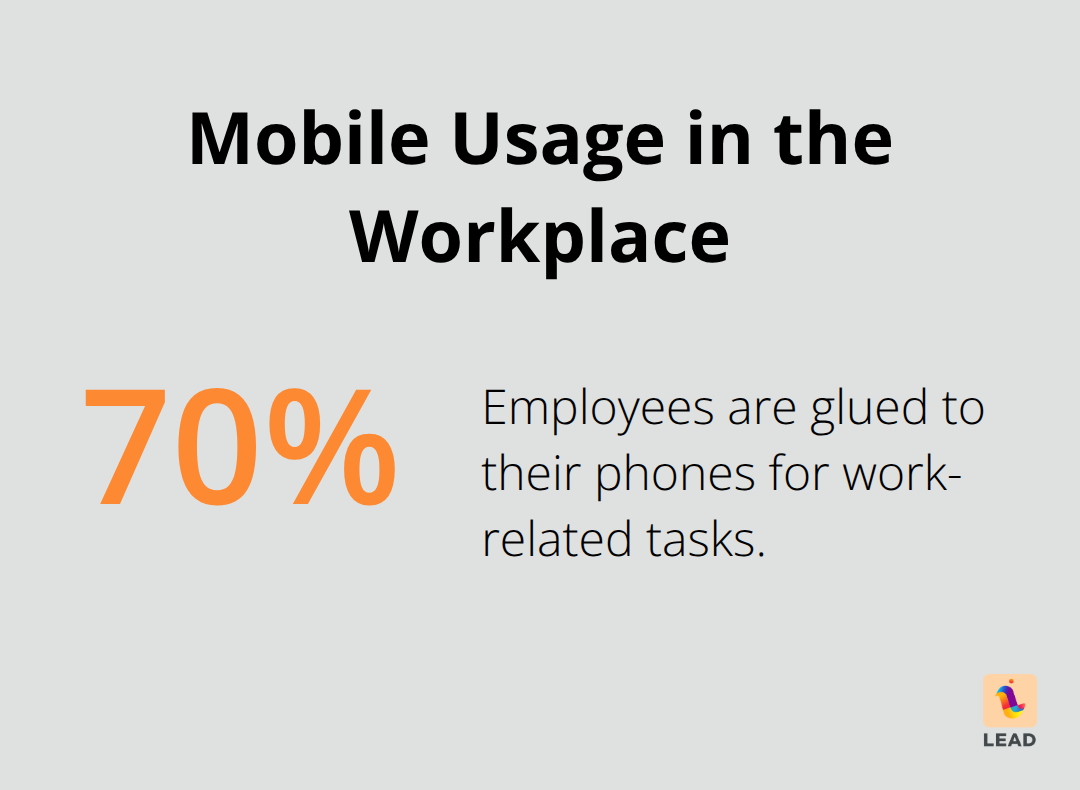
If you’re not prioritizing mobile compatibility, you’re doing it wrong. Seriously, 70% of employees are glued to their phones, thanks to Statista. Your search better work like a charm on desktops, tablets, and yep, even those tiny smartphone screens.
Real-Time Collaboration Changes Everything
Collaboration features… they draw a line in the sand between the wannabes and the real deal. Microsoft research (yes, they’re a little proud of it) shows 73% of employees see real-time editing as a game-changer for getting stuff done. Look for systems allowing simultaneous editing, version control, and instant notifications-missing those would be like forgetting the turkey at Thanksgiving.
Social features? Likes, comments, shares-they’re not just for your aunt’s vacation photos. They foster knowledge sharing in the workplace, turning everyone from passive observers to active participants.
Integration Capabilities Drive Adoption
Integrations… not the buzzword you thought you’d love, but here we are. Ignore the flashy features-focus on third-party application connections because they’re the backbone of modern productivity. Your system needs to play nice with Slack, Microsoft Teams, CRM systems, and more.
Let’s not skip security-granular controls are your new best friend, keeping everything locked up tighter than a Silicon Valley startup. It’s about setting access levels for different roles, encryption, and sticking to rules like GDPR-no cutting corners here.
Analytics Drive Smart Decisions
Data analytics-take notes, people. They drive smart decisions and squeeze more value from your knowledge assets, with IBM pointing to a hefty 40% improvement. You need platforms offering detailed insights into user engagement, content performance, and all those juicy search patterns. Metrics are key-they unveil knowledge gaps, popular content, and where your game needs elevating.
Customization is the crowd favorite-65% of users say it bumps up their experience. Your system should fit like a tailor-made suit, syncing with workflows, branding, and industry needs while laughing at rigid templates.
You got the features down, now it’s time to scout platforms and vendors for the perfect match. Go, get ’em!
How Do You Pick the Right Platform?
Pricing Models Reveal True Value
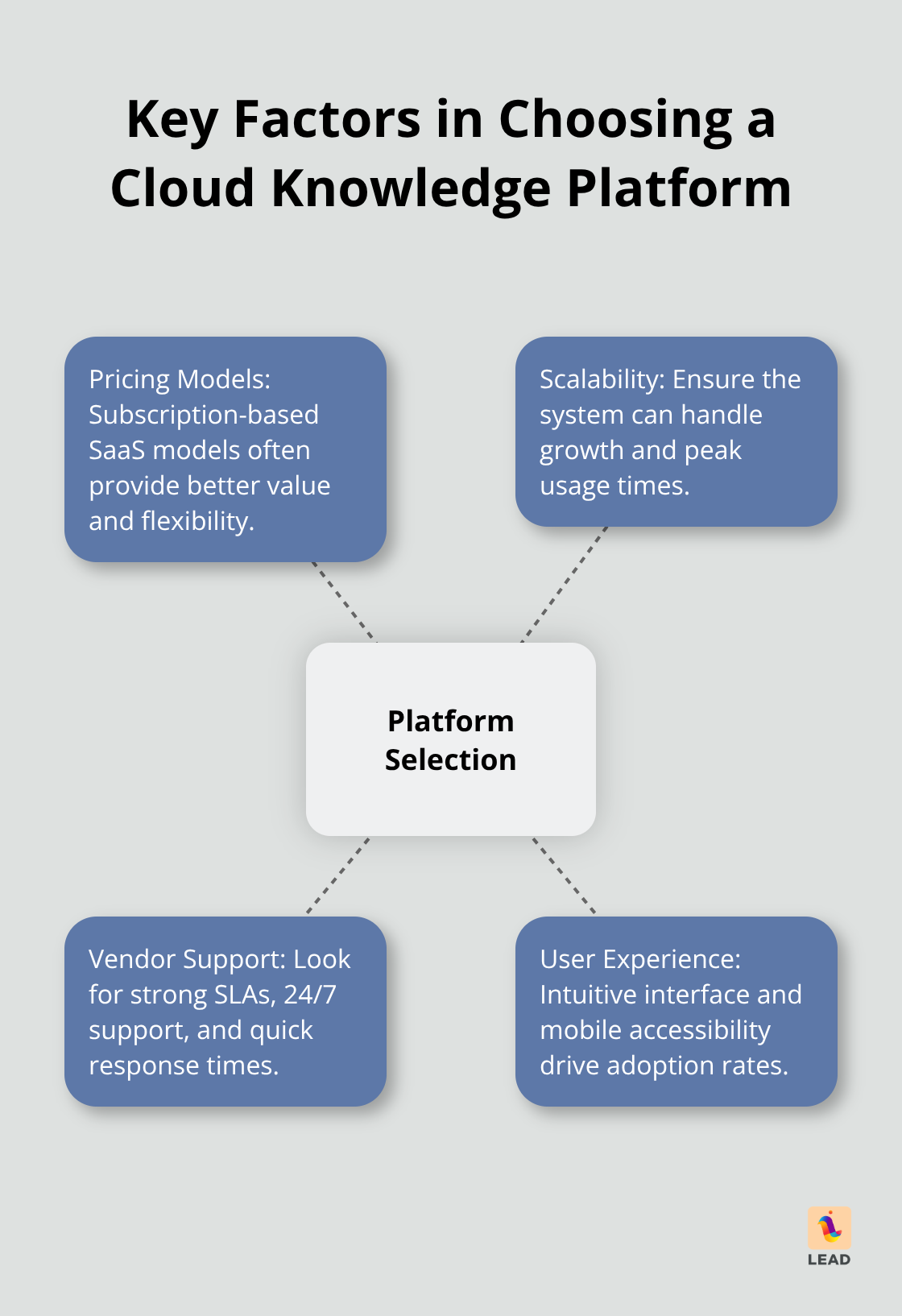
Subscription-based SaaS models – they crush the cost game every single time. Per-user monthly fees are all over the map, from $3.70 with iSpring Learn to $49 with Zendesk. But watch out for those sneaky extras – that’s where they really get you. Document360 dangles AI-driven features at a decent rate, with a sweet 14-day trial to boot, while Guru’s AI-powered search kicks off at $18 per user each month. Think you’re getting a deal with those one-time license fees? Ha – they sneak back later through maintenance nightmares. McKinsey’s on it – cloud systems slice operational costs by a whopping 30%. Translation: subscription models are your financial BFF. But hey, don’t forget to stack up training, migration, and integration costs when figuring out the total.
Scalability Separates Winners from Losers
Performance hoops – that’s where platforms either shine or crash and burn. Your system has to hold it together with lots of users on board, especially when everyone’s piling in at busy times. Gartner’s throwing out some numbers (spam alert) – worldwide IT spending’s hitting $5.74 trillion soon, pointing to the swelling hunger for scalable systems. Do yourself a favor – test these platforms under some real-world action. LiveAgent’s got the edge on handling multiple knowledge bases – a big plus for companies with a mishmash of products. And then there’s the monday service platform, rallying all your knowledge with AI swag starting at $26 per seat monthly.
Vendor Support Determines Long-Term Success
SLAs – they’re your insider peek at how serious a vendor’s commitment is. You’re going to want those 99.9% uptime promises, 24/7 support, and quick-to-action response times for critical mishaps. Zendesk comes through with beefy analytics and a sturdy support scene, while Trainual delivers mobile access topped with dedicated customer success teams. Axero’s playing the employee self-service card, reliable support at $10 per user monthly in tow. Basic email support? Skip it. Deloitte’s digging shows that 85% of organizations shout out improved productivity with the right vendor backing (yep, that’s a make-or-break kind of thing).
User Experience Drives Adoption Rates
Don’t fall for shiny features over interface design – adoption hinges on how it feels to use. Intuitive navigation? Yes, please. Complex interfaces? Hard pass. Test it out with your actual team before signing anything. Mobile’s huge – Statista’s saying 70% of employees like the freedom to roam with mobile access. Hunt for clean dashboards, menus that make sense, and that sweet responsive design for cross-device action.
You’re now clued in on picking the right platform – next up is crafting your implementation strategy to hit the ground running from the very first day.
How Do You Roll Out Your New System Successfully?
Migration Strategy Sets Success Foundation
Timelines, folks, they matter more than you think. Rush that rollout, and see your adoption rates nosedive-delay it, and watch your budgets bleed red ink. Here’s the play: phase it out. Start with your power users-turn them into your internal evangelists. And training? Do not skimp there-treat it like the sacred cow of successful rollouts.
Bring in a small squad first-20 to 50 users-give it 4 to 6 weeks, then go for department-wide domination. When moving content, you gotta be smart-focus on the files everyone uses, archive the dead weight, clean those duplicates before they mess up your shiny new toy. Keep it real-full migrations take time, usually 3 to 6 months for the average mid-sized company, despite the 30-day fantasy your vendor sold you.
Training Sessions Drive User Adoption
Tailor those training sessions like a fine suit-specific roles, hands-on practice. Ditch the generic stuff-your sales rockstars need something totally different than your engineering wizards. Get interactive-workshops where users tackle real-world problems they run into every day.
Go for multiple short sessions, not those soul-sucking marathons. Studies show 20-minute power drills beat 2-hour brain fryers hands down. And hey, record these sessions-they’re gold for future hires who’ll wonder what they missed.
Content Standards Prevent Future Chaos
Lock in those content standards from day one-name your files right, tag ’em smart, approve them with a clear process. Crappy standards are what led to the mess you’re trying to exit. Give each department a content czar with real clout to uphold quality.
Set the rules in stone-file formats, versioning, archiving. Teams need roadmaps for structuring info, updating docs, and knowing who gives the nod. Without these, congratulations! You just recreated your old digital disaster, but shinier.
Analytics and Feedback Drive Continuous Improvement
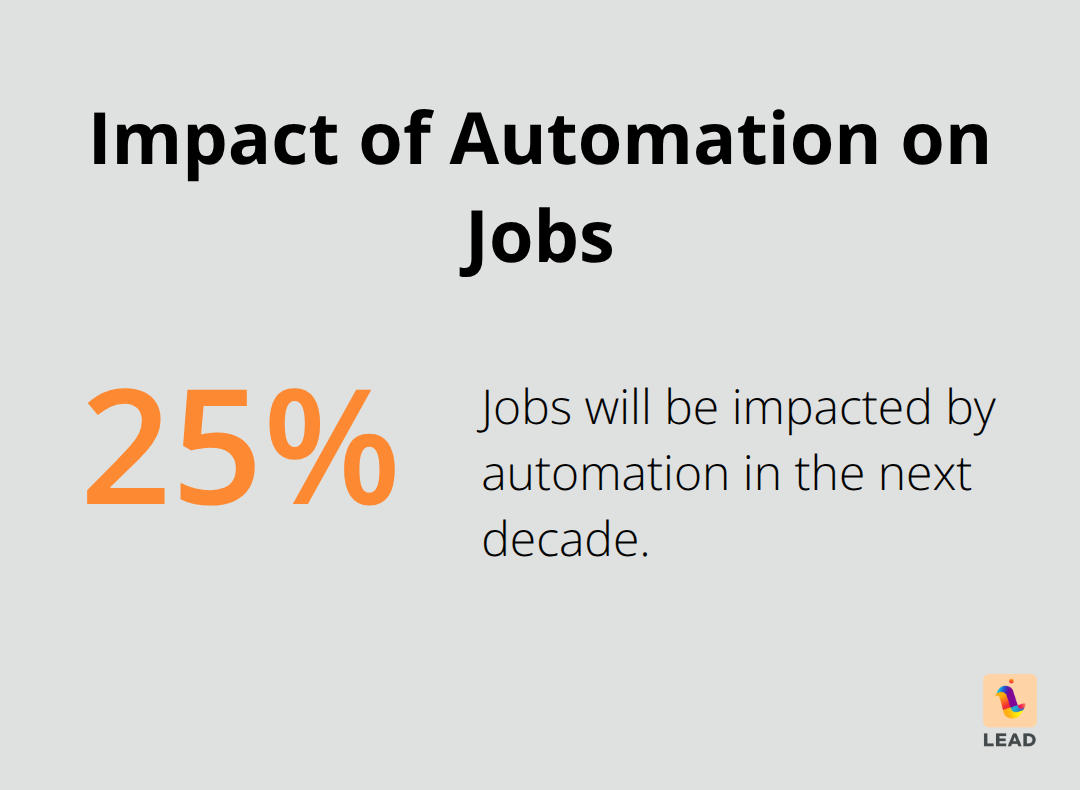
Be obsessed with your analytics-track it like a hawk: search success, content patterns, user engagement, weekly. Keep in mind, automation will shake up 20 to 30% of jobs over the next decade (source). Knowledge systems? Crucial.
Set up feedback loops monthly and quarterly-catch those gremlins before they become your downfall. Red flags like dropping search success rates or ghost departments? Jump on those fast before they scatter across your network organizational structure.
Final Thoughts
Alright, let’s break it down. Cloud-based knowledge management systems – they win when you nail four key things: a search function that doesn’t make you want to throw your computer, collaboration tools that teams actually want to use (we’re talking zero eye rolls), integrations that mesh seamlessly with what you’re already doing, and security that holds up like Fort Knox. Rollout’s all about those phased launches, some targeted training, and rock-solid content rules from Day 1. Companies slashing costs by 30% and turbocharging productivity by 85%… after they switch to cloud platforms? That’s not magic, it’s just good strategy.
No more remote team hiccups, watch those information barricades crumble, and growth… yeah, it transitions from hair-pulling to exciting. First step? Take a hard look at your current knowledge chaos, run some tests with your die-hard users ready to LEAD.bot the charge. Remember, even the best systems crumble without that strong human network behind them (that’s where the real knowledge hums).
So, what’s next? Choose your platform, map out those phases, and get your crew ready for the win. Even the shiniest cloud-based systems mean nothing without engaged troops. That’s where LEAD.bot comes in, spotting those hidden connections where the true knowledge flows and laying down the scaffolding to make any system truly stick.