
Teams are losing time to scattered docs, duplicate work, and AI tools pulling from stale information. This guide on Top Knowledge Management Tools for Enhanced Productivity focuses on the practical systems, choices, and habits that make knowledge more usable. Today’s challenge is turning knowledge into something people can actually find and use across fast-moving teams.
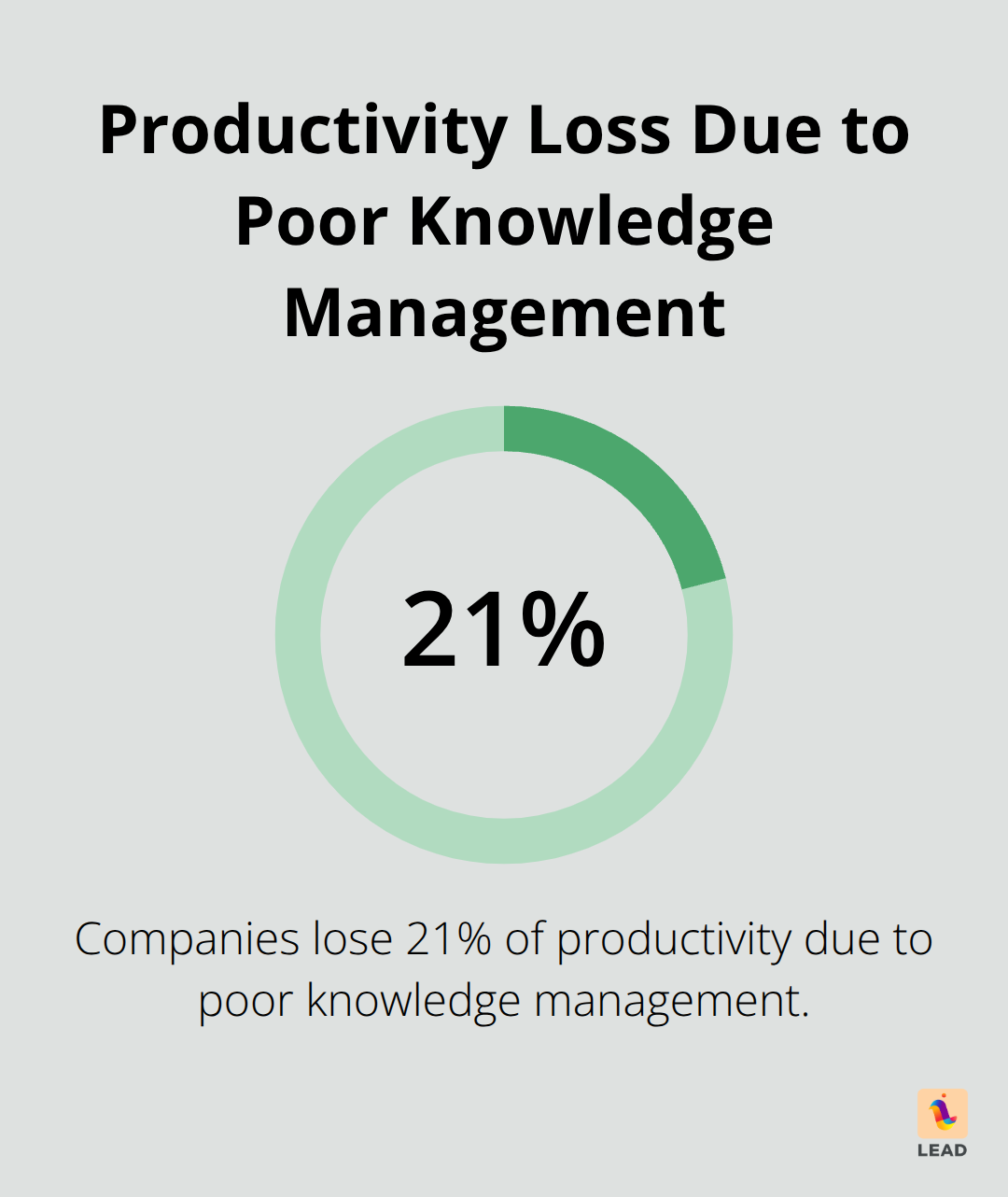
Here’s the deal: At LEAD.bot, we totally get it. Picking the best knowledge management tools? It’s like giving your organization a brain upgrade. A killer platform doesn’t just tidy up those info silos (where knowledge goes to die)… it turbocharges decision-making across every department. Boom!
What Makes Knowledge Management Tools Actually Work
Alright folks, let’s talk about why some tools actually make you a productivity beast, while others? Just another excuse to play digital whack-a-mole. Three… count ’em, three non-negotiables. First up, unified storage. Enough with files scattered everywhere like confetti on a Friday night-email threads, shared drives, random cloud folders. Seriously, employees waste 1.8 hours a day… that’s 9.3 hours a week, simply lost in the abyss. Smart companies? They centralize all this madness. One glorious, easily searchable repository. No more digital hide-and-seek, only pure, streamlined zen of SOPs, project histories, and expert insights.
Lightning-Fast Search That Actually Finds What You Need
Generic search? It’s the productivity killer. Your system needs AI-powered search that actually gets what you’re saying-context, not just keywords. “Project timeline” shouldn’t spit out 200 pieces of junk. Nope, they should hand over the exact project plan you need. Tools like Confluence and Notion? They’re showcasing their machine learning flair to dish up relevant content based on how you’ve been working and past projects. The crème de la crème platforms rifle through file contents, not just titles, so when page 15 of a PDF has the juicy bits you need… it’s up front and center. Knowledge management is not just a nice-to-have-Deloitte’s research gives it a top-three pedestal influencing company success.
Real-Time Collaboration Without Version Control Nightmares
Sharing is caring, but if you can’t collaborate without pulling your hair out, it’s a bust. Your platform needs to champion simultaneous editing, automatic version control, and instant notifications for document updates. Stuff like SharePoint now flaunts real-time co-authoring-multiple folks, one document, no sweat. The secret sauce? Embedded comments and approval workflows. Knowledge stays fresh and dazzling. Harvard Business Review’s nod tells us that when companies nail strong collaborative knowledge practices, they slash operational costs by 20% and ditch redundant work and outdated info like last season’s fashion.
Content Organization That Scales With Growth
Expansion: the Achilles’ heel for most knowledge bases. They buckle under their weight as the org chart balloons. Avoid chaos-opt for hierarchical structures, savvy tagging systems, automated whatchamacallit categorization. As new wings and projects crop up, tailor-made pathways must LEAD.bot you through related content (think project docs to training materials to troubleshooting guides). This interlocking genius prevents knowledge silos, so insight doesn’t suffocate in some forgotten departmental corner.
So, now the cat’s outta the bag on what makes knowledge management tools tick instead of fizzle. Let’s dive into the specific platforms that roll out the red carpet for these capabilities at scale.
Which Tools Actually Deliver Results
Confluence Dominates Technical Documentation
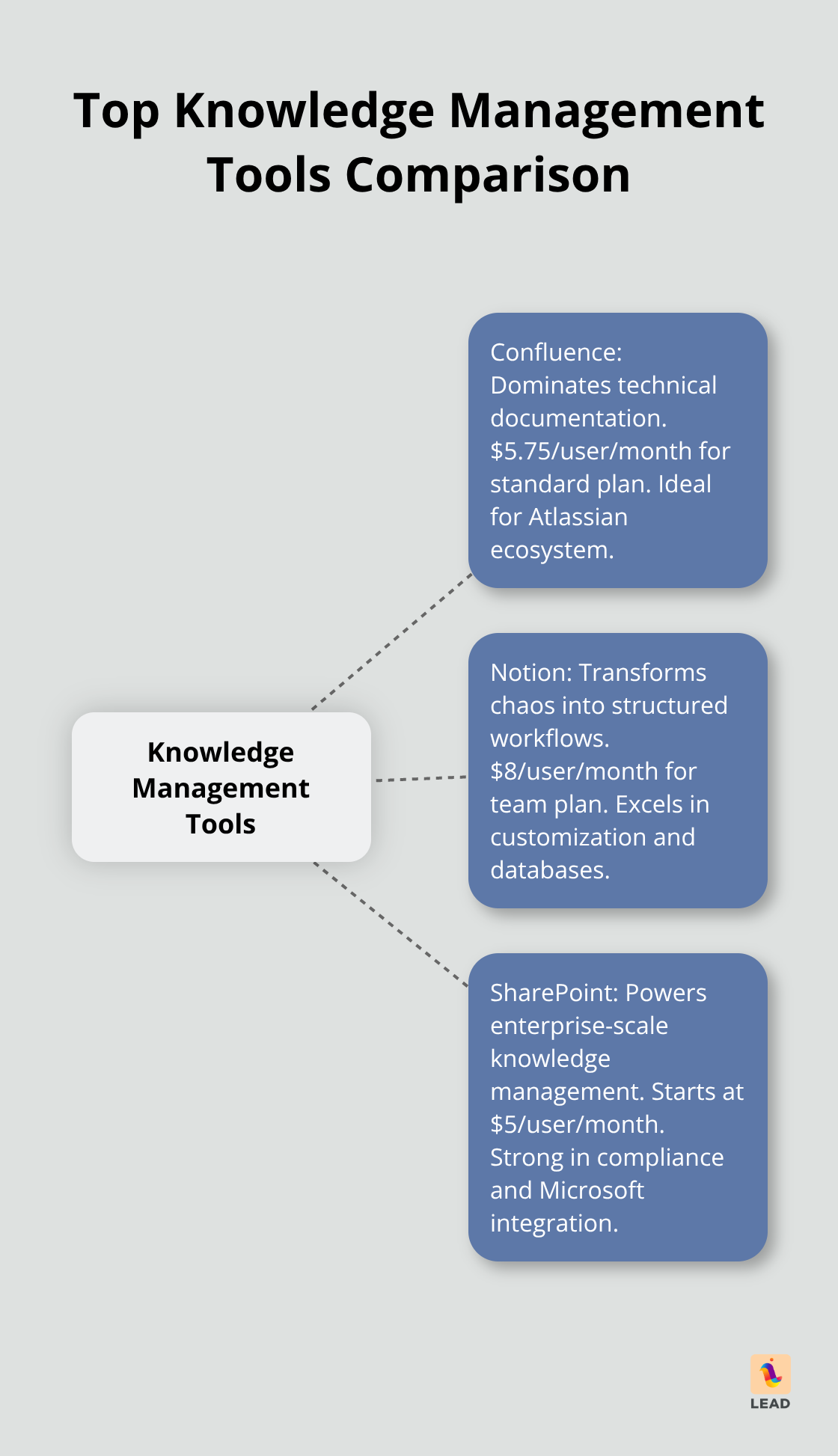
Confluence is like the Swiss Army knife of technical docs when you’re deep in the Atlassian universe. It really clicks with Jira-product managers jot down requirements, and developers keep tabs on progress without missing a beat. The kicker? That page hierarchy system that scales right up as things get complex.
Take Spotify, for instance-they’re all over Confluence for their engineering playbooks, boasting over 40,000 pages of tribal wisdom that you can dig through with a solid search. With space permissions, your sensitive stuff stays under wraps while enabling some impressive team collabs. Starting at $5.75 a pop per month for the standard plan, it’s a no-brainer for mid-sized teams ready to break free from the chaos of scattered Google Docs.
Notion Transforms Chaos Into Structured Workflows
Notion isn’t messing around with basic wikis-it turns chaos into these slick, structured workflows. It’s all about those databases-you craft interconnected knowledge hubs rather than just plopping down static pages. Marketing whizzes can set up campaign trackers linking everything from brand guidelines to performance metrics-all in one neat picture. Templates? Over 200 of them. But it’s the customization where Notion really hits the sweet spot.
Look at Buffer-their content team runs their editorial calendar in Notion, marrying writer assignments with SEO deep dives and pub schedules. With mobile apps syncing instantly, remote teams can grab updated SOPs anytime, anywhere. Personal accounts start free, scaling to $8 monthly per user for teams craving advanced permissions and limitless uploads.
SharePoint Powers Enterprise-Scale Knowledge Management
SharePoint takes on the big jobs smaller tools can’t touch-with its prowess in compliance tracking, security, and seamless integration with the whole Microsoft 365 suite. It’s the go-to for Fortune 500s keeping tabs on regulatory docs, complete with automated retention policies and audit trails.
In the modern SharePoint universe, you’ve got AI-powered content discovery, picking up on user habits. Teams groove through SharePoint sites connecting to Outlook calendars, Power BI dashboards, and Teams channels with zero hassle. Just ask Microsoft’s own IT-a whopping 2.3 million docs managed through SharePoint, supporting 180,000 employees worldwide. Enterprise licensing kicks off around $5 a head per month, especially savvy for organizations already knee-deep in Microsoft’s ecosystem.
These platforms sync with all the tech specs you need, but the real win? It’s all about how your team wraps its arms around and rolls out these tools across the board. Crafting a solid knowledge management strategy makes sure you wring every last drop of ROI from your tool of choice.
How to Successfully Implement Knowledge Management Tools
So, you’ve got these companies skipping the basics… and what happens? 70% of their digital transformations take a nosedive. Thanks, McKinsey, for the reminder. Step one? Knowledge audit. Figure out where your teams are stashing info and find those giant time sucks. Like that Fortune 500 giant, where sales reps spent an insane 3.2 hours a day hunting for product specs in 47 systems. Seriously?
Map Your Knowledge Chaos Before You Fix It
Your audit’s gotta have some bite, folks. Dive in-interview department heads, clock how long people are on the info hunt, and list every single knowledge stash they’re using. Salesforce had 23 different tools for customer data-no wonder onboarding took 8 weeks instead of 3. Now, that’s some chaos theory.
Make a heat map of where the pain’s at. Engineering needs docs, marketing’s after those campaign assets, and sales craves product sheets. This stuff isn’t fairy dust-it’s the nitty-gritty data showing where your knowledge gaps are costing you the big bucks.
Train Hard or Fail on User Adoption
Oh, training budgets? Always on the chopping block. But cut there, and you’re missing the point. Companies that go all in on training see tools getting adopted in 90 days. Tailor it-your CFO doesn’t need a developer’s crash course.
Bring in power users-like HubSpot did with their 5-person knowledge ambassador squad in every department. They hit an 89% adoption rate in 6 months! Forget the typical year and a half, folks.
Track Real Metrics That Matter
Vanity metrics-who needs ’em? Focus on search success rates and time-to-find info. Check out knowledge base activity. If content’s just sitting there-it’s not just useless, it’s a liability.
Zendesk tracks deflection rates-let’s see how often folks find answers without bothering IT. Their knowledge stash knocks out 40% of IT tickets, saving them 15 hours of support work each week. Monthly automated reports should show these figures and tie knowledge management triumphs to department KPIs. When teams see how better knowledge access links to hitting their targets, watch how fast adoption picks up.
Final Thoughts
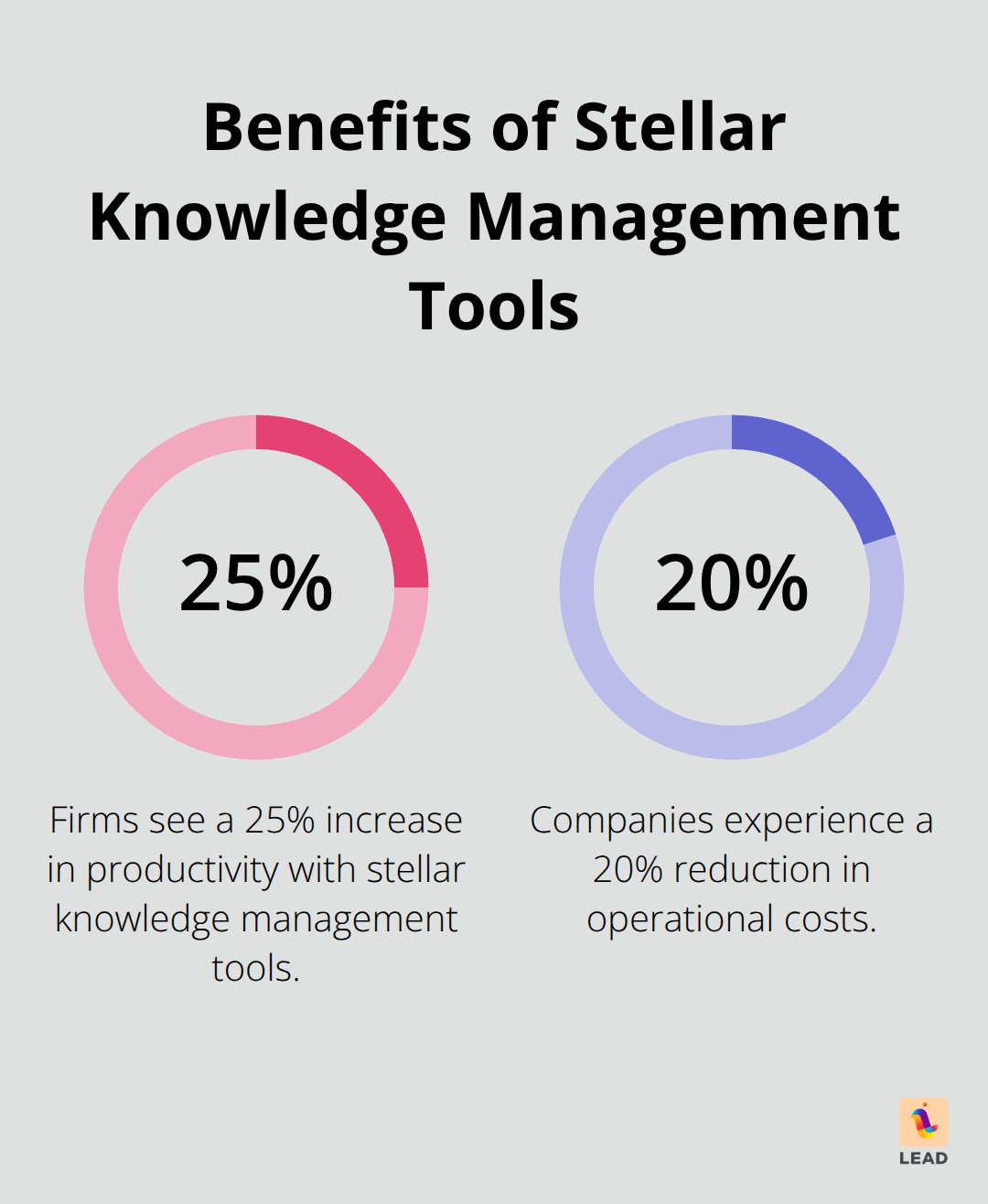
The magic sauce of stellar knowledge management tools? They spin your scattered bits and bobs into a killer competitive edge. Firms jumping on these platforms – bam! – see a jaw-dropping 25% hike in productivity plus a juicy 20% cut in operational costs. Numbers don’t lie, my friend.
Team of under 50? Notion’s your dance partner – all that flexibility for just $8 a head each month. Middle-ground companies? They’re crushing it with Confluence’s tech docs at $5.75 per user. The big fish, the big players – they’re lounging in SharePoint’s compliance world, all cozy with Microsoft’s tools (a whopping $5 to start).
What’s hot on the features menu? AI-powered search and real-time teamwork – becoming the norm across the board. But here’s the catch – execution is everything – identify your info gaps, train your power users, and track the metrics that matter. At LEAD.bot, we’re the maestros orchestrating how organizations weave these human knowledge nets, boosting collaboration and knowledge exchange across teams.