
Virtual coffee meetings—your new networking secret weapon. At LEAD.bot, we get it: nailing that first impression is key, even if it’s all happening via pixels.
So, we’ve whipped up this not-so-average guide to crafting the ultimate virtual coffee meeting invite email. Yep, step by step, we’re here to help you lock in those meaningful connections and turn random chats into productive conversations.
What Makes a Virtual Coffee Meeting Invitation Email Irresistible?
Over at LEAD.bot, we’ve dissected countless virtual coffee meeting invites. Some nail it right on the head, while others … well, not so much. Let’s break down what makes the winning ones … well, winners.
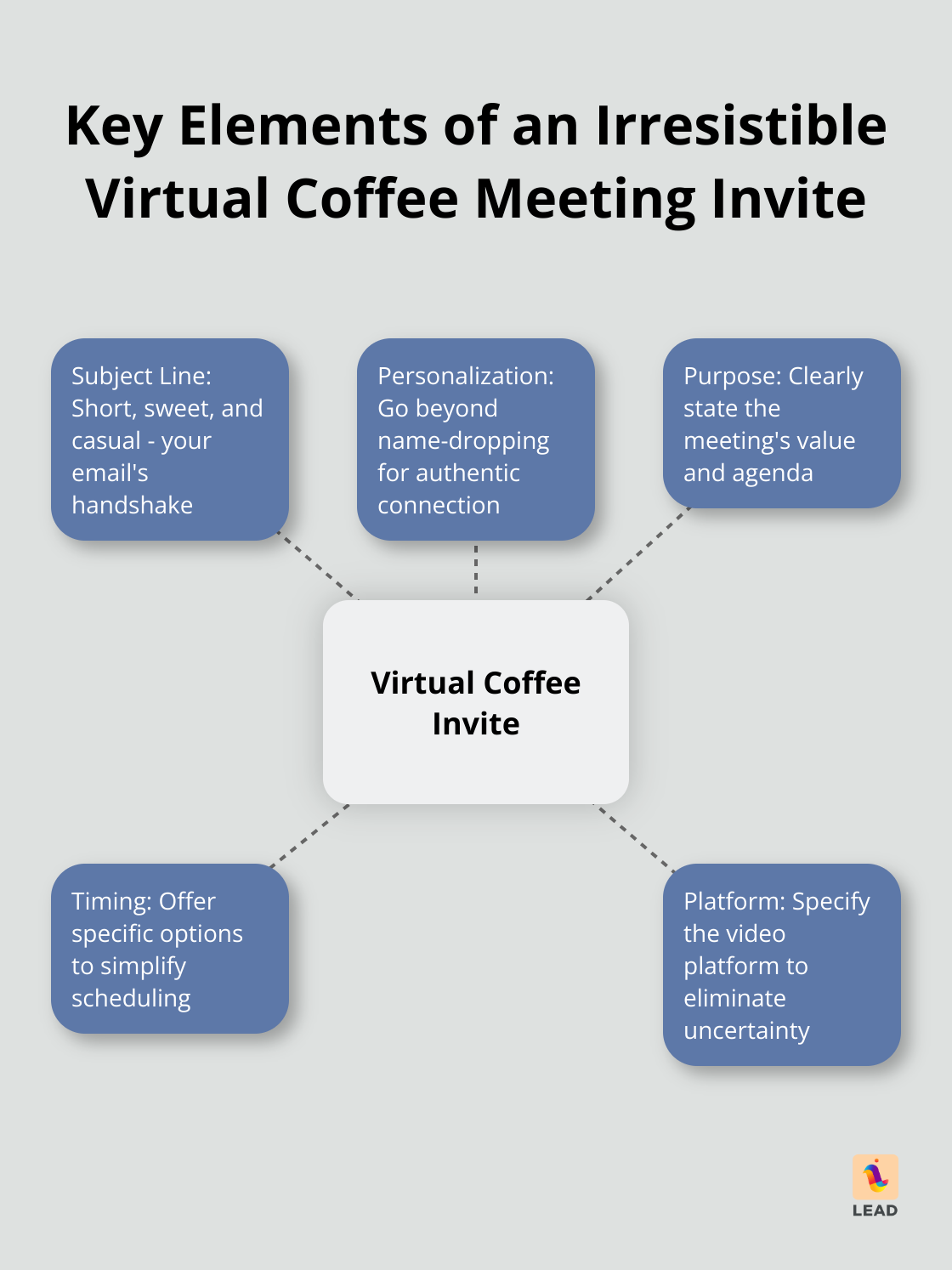
The Subject Line: Your Email’s Handshake
Think of your subject line as the handshake of your email. It should be firm yet friendly. Short, sweet, and casual wins the day when inviting someone for a coffee chat. Skip the Shakespearean prose and keep it real. The key here? Simple clarity.
Personalization: Beyond Name-Dropping
Listen, personalization isn’t just about weaving a name in at the start. Virtual coffee chats are about connection, not just downing a cup of joe. This is where business chatter meets personal chit-chat in a lovely dance. Sprinkle in some authenticity and watch your response rate climb.
Purpose: Clarifying the Meeting’s Value
Spell it out: what’s the agenda? Is it advice-hunting? Talk of collaboration? Industry gossip? Lay your cards on the table. When people see the value, getting a positive reply becomes a whole lot easier.
Timing: Simplifying the Decision
Pin down some dates and times, but stay flexible. “How’s Tuesday at 2 PM or Thursday at 10 AM?” beats “Whenever you’re free.” Offering a select few options increases your odds of syncing up.
Platform: Eliminating Uncertainty
Name your preferred video platform but keep the door open. If LEAD.bot is your magic tool, give it a nod. Lots of these platforms play nicely with big names like Slack and Microsoft Teams, which greases the wheels for everyone involved.
A strong invite isn’t just about scoring that “yes” – it’s setting up for a great convo. Up next? We’ll dive into crafting a killer opening for your email invitation, ensuring you kick things off just right.
How to Hook Your Reader from the Start
Craft a Personal Greeting
Kick off your email with a warm, personalized “Hey [Name]”-seriously, it’s like a magic spell. Right after that, jump straight into showing you’ve done your homework. Mention something specific they’ve done, like, “Your take on AI in healthcare at the MedTech conference last month? Mind-blowing.”
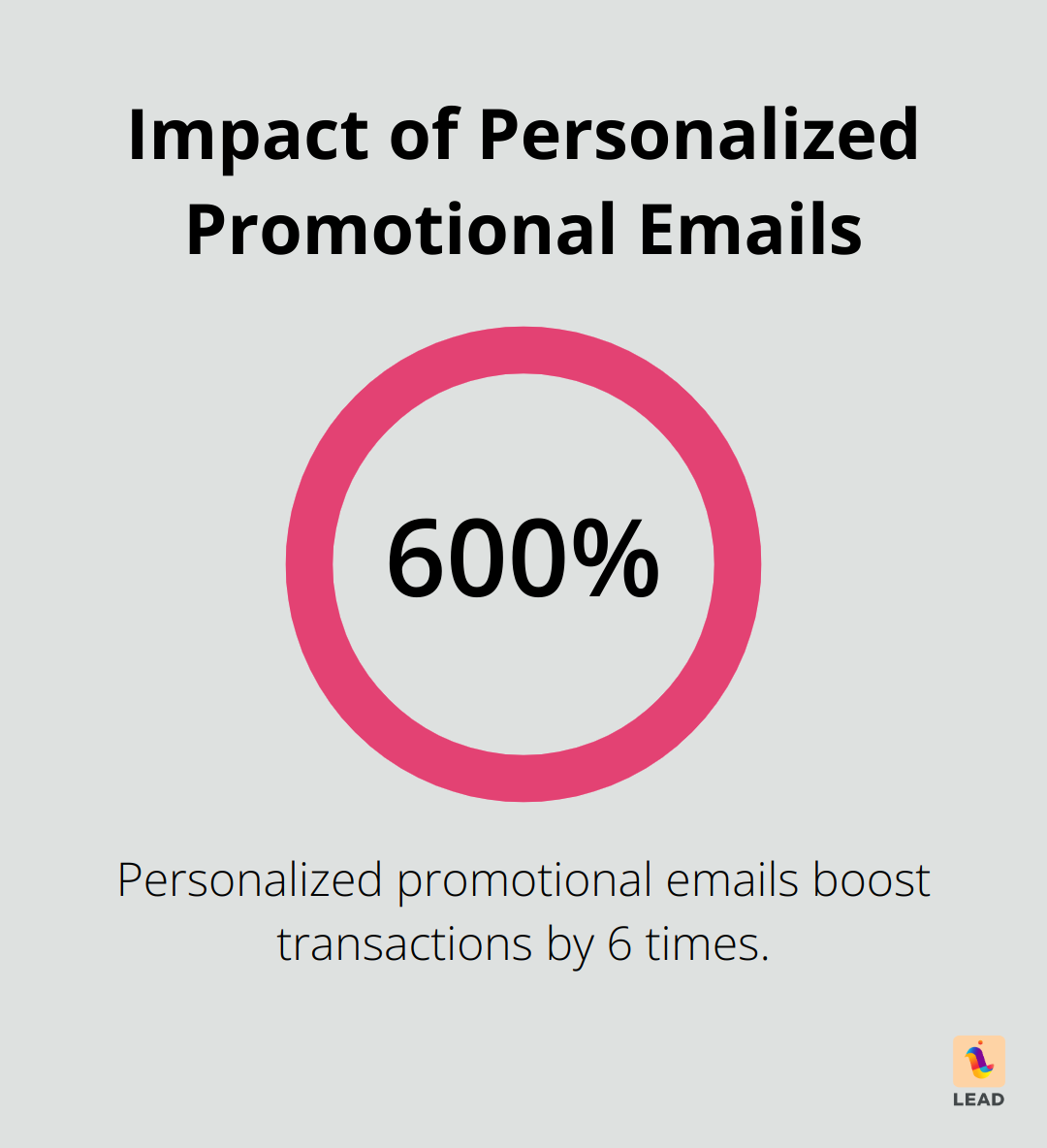
Personalization is more than social grace-it’s tactical genius. Just look at how personalized promotional emails crush it-generating a transaction boost six times over.
Leverage Shared Connections
Got a mutual friend? Boom! Drop that nugget early. Employee referrals aren’t just for hirings-they’re your coffee chat golden ticket.
No friend-of-a-friend? No worries. Find the common thread-same alma mater or field of work-and yank on it. Shared experiences are like conversational gold mines.
Show Genuine Enthusiasm
Put your excitement on loudspeaker. “Excited to connect” won’t cut it. Be laser-focused and say, “Can’t wait to dive into how AI tech shifts are shaking up data analytics in your world.”
Set Clear Expectations
Lay it out clear as day what you want from the meet-up. Helps them see the payoff for their time. Like: “Keen to unpack your data visualization strategies and brainstorm potential team-ups.”
Offer Flexibility
Suggest times later, sure, but tease your flexibility upfront. A simple “Happy to flex around your timetable” is like soothing balm for their schedule-induced angst.
Your opener isn’t just a foot in the door-it’s the invite to the entire ball. Nail this intro and you’re halfway to that killer virtual chat. Now, onto structuring the body of your email to maximize its impact.
How to Structure Your Virtual Coffee Meeting Invite
State the Purpose Clearly
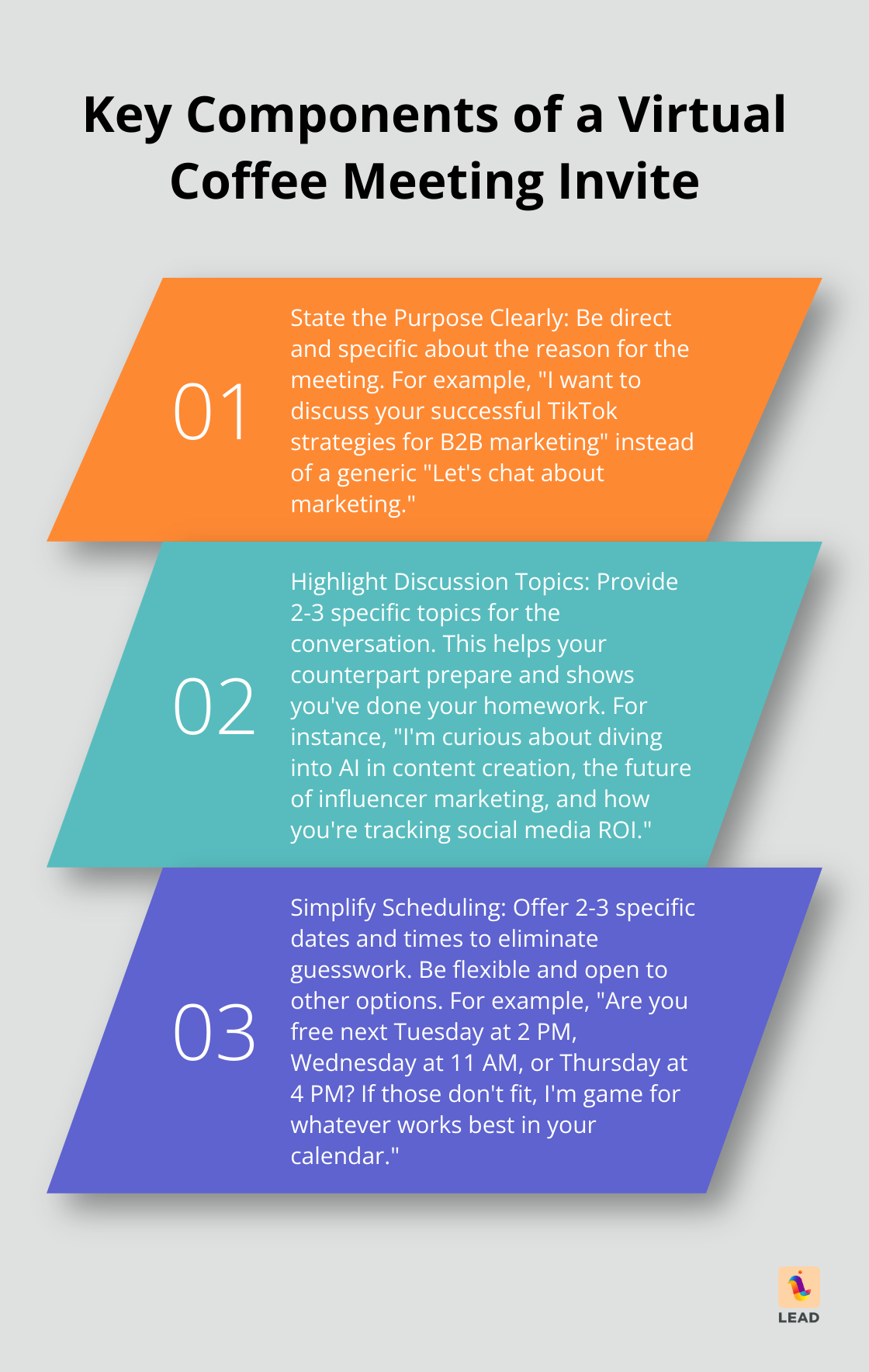
Kick off with – hold on – a direct, no-nonsense reason for this little coffee klatch we’re arranging. Precision matters, folks. Swap out generic drivel like “Let’s chat about marketing” with something snappier, like “I want to discuss your successful TikTok strategies for B2B marketing.” This isn’t just showing you’re informed; it’s giving them a solid reason not to hit “delete.”
Highlight Discussion Topics
Lay down 2-3 juicy topics for the powwow. This isn’t just a sneak peek; it’s a teaser trailer for the main event – helping your counterpart prep like a pro. For instance: “I’m curious about diving into AI in content creation, the future of influencer marketing, and how you’re tracking social media ROI.”
Simplify Scheduling
Toss out 2-3 specific dates and times. This isn’t just asking nicely – it’s eliminating the guessing game. Try: “Are you free next Tuesday at 2 PM, Wednesday at 11 AM, or Thursday at 4 PM? If those don’t fit, no sweat – I’m game for whatever works best in your calendar.”
Set Time Expectations
Be upfront about how long this chat will last. It shows you value their time (and let’s face it, who doesn’t appreciate that?) Simple as: “Our chat should take about 30 minutes.” Bam, plan made.
Provide Tech Details
Spell out what tech you’ll be using. Toss in a nod if you’re rolling with a platform like LEAD.bot – especially since it plays nice with Slack or Microsoft Teams. This banishes tech mysteries and screams, “I’m ready for business.”
The endgame? Make saying “yes” a no-brainer. Share all they need upfront – it’s not just planning a chat; it’s about sparking a meaningful connection. (That’s how you boost your odds of hearing that sweet, sweet “sure, let’s talk.”)
Final Thoughts
Let’s dive into crafting the ultimate virtual coffee meeting invite-because, yes, even in the digital age, how you ask matters… a lot. First up, make it clear why you’re reaching out-like, spell it out. Nobody’s got time for vague emails. Toss in some flexible timing, let them see what’s in it for both sides. It’s like marketing 101, but for human connections… irresistible, right?
And oh, you’re not using tools like LEAD.bot? Why complicate life? It syncs with Slack and Microsoft Teams, shaking up your networking game, energizing your team, and supercharging the idea swap (total networking gold).
Before hitting send, double-check-personalized? Check. Concise? Check. Bang! Benefits spelled out? Throw in a killer call-to-action that screams, “Click me!” (in a non-desperate way). Wrap it up with a heartfelt thanks-it’s all about the long game, people. Remember, they’re lending you their time-make it count.