

Hybrid work collaboration—yeah, it’s the new black for modern teams. And let’s be real, at LEAD.bot, we’ve got a front-row seat to how the right gizmos (or lack thereof) can be the difference between a team that’s cruising and one that’s crashing and burning in this brave new world.
So, what are we doing here? We’re diving into the top hybrid collaboration tools reshaping how teams march together into 2025. Plus, we’re dropping some no-nonsense tips to squeeze every drop of potential from these tools and crank up your team’s efficiency. Bam, there you have it.
What Makes a Hybrid Collaboration Tool Effective?
Real-Time Communication: The Heartbeat of Collaboration
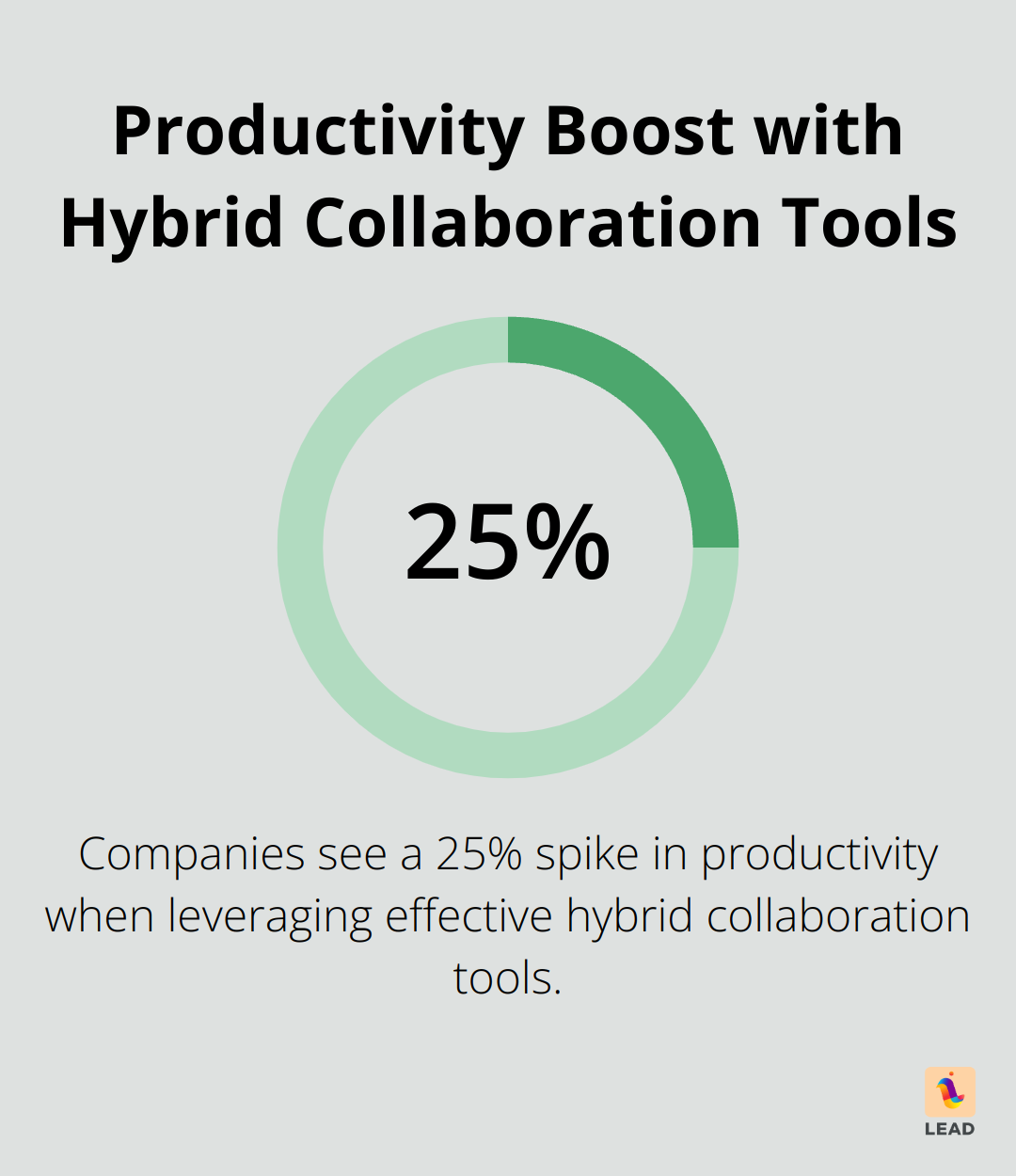
In the hybrid work landscape, instant communication? That’s your MVP (most valuable player) of teamwork. Tools gotta offer seamless instant messaging, video calls, and voice chats that hum like a well-oiled machine across both office and remote settings. Companies leveraging these tools are seeing a 25% spike in productivity – oh yeah, proving that chat flows lead to performance blows through the roof. To ride this wave, set up dedicated channels for specific projects or teams. It keeps folks sharp and cuts down on all the pesky noise.
Project Management: Beyond Simple To-Do Lists
Hybrid collaboration? Needs project management with some muscle. Find tools that are no slouches in task assignment, progress tracking, and cracking those deadlines. Take Asana – users chopping 45% off their emails and meetings. That’s more brain space for the real work. Efficiency translates to getting more done and projects rolling smoothly.
Seamless File Sharing and Collaboration
Docs. The ultimate sticky wickets in hybrid setups. Choose a tool that makes file sharing and co-editing feel like a walk in the park – no sweat. This means more focus time, less scrabbling around, and fewer file-management headaches.
Integration: The Multiplier Effect
The heavy hitters of hybrid collaboration? They sync up with your current tech toy box like a dream. Microsoft Teams, say hello to your over 700 apps budgies. It means you can grab CRM data, tweak project timelines, and swap files without even getting up. The upshot? A workflow so slick it’s practically greased lightning, boosting productivity while slashing context switching.
User-Friendly Interface: Adoption is Key
Here’s one many miss: the interface. Top-notch tools blend brains and beauty. A user-friendly interface makes it easy for anyone to hop on board, whether they’re wizzes or Luddites. Tools like LEAD.bot? They crush it with potent features dressed in an interface as simple as pie, making it a cinch for teams to pick up.
The right hybrid collaboration tool should just mesh with your team’s workflow, like it’s been there all along – not some dense labyrinth to conquer. As we dig into the top tools giving collaboration a makeover in 2025, keep these crucial features front and center. They’ll steer you to solutions that can genuinely transform your team’s productivity and connectivity in this brave new hybrid world.
Which Hybrid Collaboration Tools LEAD.bot in 2025?
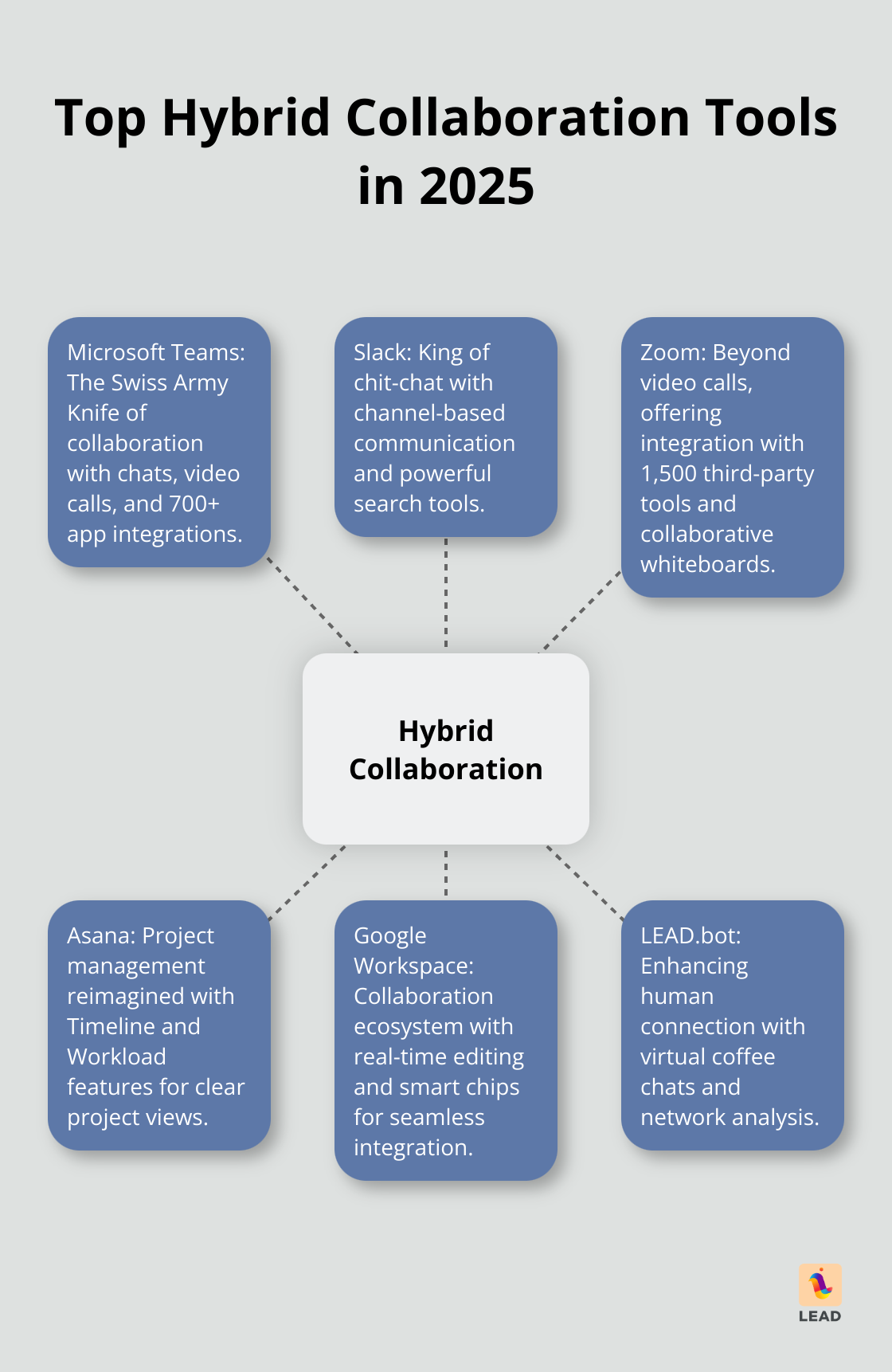
The hybrid collaboration scene in 2025? It’s buzzing with robust tools-each ready to redefine team interactions. Highlighting only the top game-changers here.
Microsoft Teams: The Swiss Army Knife of Collaboration
Microsoft Teams-it’s not just some app. It’s become a force of nature, a juggernaut. Chats, video calls, file-sharing? All interwoven like a dream. With Office 365, you’re diving into real-time document magic. And those 700-plus app integrations? They morph Teams into a mega hub of efficiency. Take Axon Enterprise-they cooked up an AI tool with Azure OpenAI Service called Draft One. Outcome? A whopping 82% cut in report time.
Slack: Where Conversations Flow
Slack’s the king of chit-chat in the hybrid world. Channel-based communication? It’s a match made in virtual heaven for varied teams. Locate info 25% quicker than with old-school email-thank the killer search tools for that. And Slack’s new Workflow Builder? It’s automation for the masses-liberating tech-averse folks everywhere to focus on strategy.
Zoom: Beyond Video Calls
Zoom isn’t just zooming in on video-it’s stretching way beyond. Imagine tapping into 1,500 third-party tools without bouncing between apps-cutting app-switching time by 40%. Design teams rave about the collaborative whiteboard-78% see ideation shoot through the roof.
Asana: Project Management Reimagined
Asana’s lifting project management to new heights. Peek at projects via the Timeline’s Gantt-chart magic-92% say they see things clearer. Workload features help extinguish burnout by balancing team tasks, slashing missed deadlines by 30% for dedicated users.
Google Workspace: The Collaboration Ecosystem
Google Workspace? It’s a cornerstone for seamless tool integration. 50% faster document wrap-up times compared to the old ways-credit those real-time editing chops in Docs, Sheets, Slides. Smart chips yank pertinent info from other Workspace goodies into your current doc, slicing context-switching by 20%.
LEAD.bot: Enhancing Human Connection
And while tech is dazzling, LEAD.bot zeroes in on the human touch. It’s a companion app, driving engagement and nourishing a culture of wisdom exchange. Perks like virtual coffee chats and network analysis bring teams closer, doing what typical tools can’t. Research from Forbes remote work data highlights this growing trend. Research from McKinsey’s workplace insights supports this approach.
Melding these tools? That can supercharge your team’s efficiency and bonds. But, picking the right mix? It’s all about understanding what your team needs and how they flow. Let’s dig into maximizing these tools’ potential next.
How to Supercharge Your Hybrid Collaboration Tools
Establish Clear Communication Guidelines
Here’s the deal: you need rock-solid communication protocols-full stop. This isn’t just about picking tools; it’s about using them smartly. Decide which platform is the go-to for urgent stuff and which one’s cool for a chill chat.
Draft up a shared doc laying out how tools should be used, when you should expect replies, and how to flag something as a five-alarm fire. Clarity equals speed in decision-making and less confusing chatter. Use Slack for quick “got a sec?” questions and lean on Microsoft Teams when it’s time to dive deep into discussions and file-sharing.
Design Digital Neighborhoods
Think of your virtual workspace as a city-yep, with neighborhoods for different gigs. Use channels in Slack or Teams to carve out spaces for each project, team, or topic. Keeps the noise down and the focus sharp.
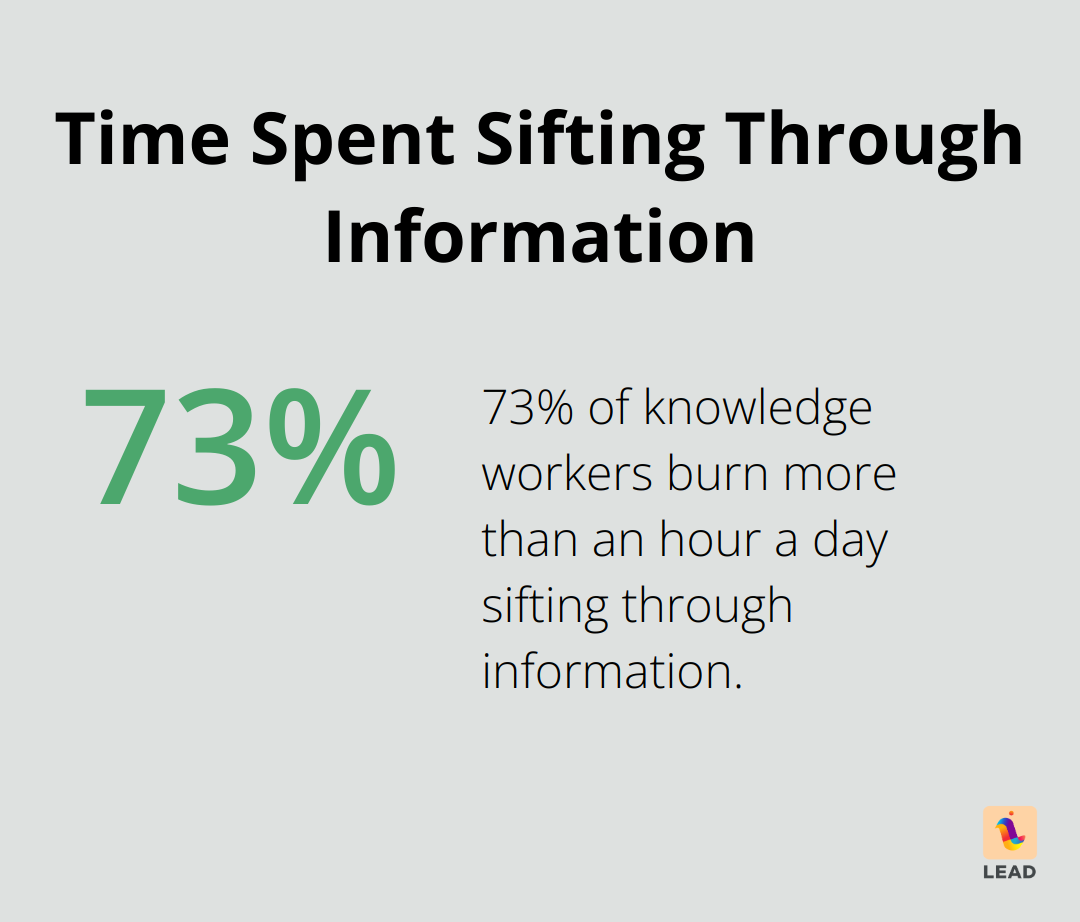
Did you know that 73% of knowledge workers are burning more than an hour a day sifting through info? Organized digital digs can cut that waste down hard. Set up channels for brainstorming, project updates, and even those water cooler chats. Work stuff here, fun stuff there-but all within reach.
Unleash Automation Power
Meet your new productivity secret weapon-automation. Lots of your collab tools come with automation superpowers that shave off hours of grunt work. Take Asana’s Rules feature, for instance-it can auto-assign tasks, set due dates, and shuffle items between projects with just a nudge.
Here’s a kicker: a Smartsheet report says 40% of folks are frittering away at least a quarter of their week on mind-numbingly repetitive tasks that automation could squash. Smart workflows give that time back for the juicy, high-value stuff. Zapier’s your buddy here, linking up your tools for some cross-platform magic (like auto-creating an Asana task when a fresh Gmail hits your inbox).
Foster Continuous Learning
Tools evolve-no surprise there-and your team should, too. Roll out a continuous learning gig to keep everyone’s skills razor-sharp. But don’t just stick to formal training; think culturally sharing knowledge.
Organizational learning isn’t just a buzzword-it’s a way to stand out and grow sustainably. Regular “tool tip” sessions where folks share a new hack or trick? That’s gold. Pull in those knowledge exchange features from tools like LEAD.bot to pair up newbies with pros, and let skills grow naturally.
Measure and Refine
Want to nail down your hybrid collaboration toolkit? Measure and tweak it regularly. Keep tabs on metrics like task completion rates, response times, and user engagement. Spot those bottlenecks and improve away.
Experiment a little-A/B test different workflows or tool setups to see what’s clicking with your team. Regular pulse surveys are your intel-gathering friend, giving insights into what’s working and what’s driving people up the wall. This iterative game plan keeps your tools sharp as your team’s needs change.
Final Thoughts
Hybrid work collaboration tools – can’t live without ’em nowadays. You’ve got Microsoft Teams, Slack, Zoom, Asana, Google Workspace… all with their own special sauce for boosting team productivity and keeping everyone in the loop. They’re the bridge – the Golden Gate, really – between working from your couch and the office desk, making teamwork and project juggling as smooth as a TikTok dance.
But here’s the deal: These tools are only as good as the communication lines backing them. You need some ground rules, like digital HOA agreements, and get those digital spaces humming like a well-oiled machine (using automation features helps a ton). Keep checking and fine-tuning how you’re collaborating… because standing still in tech is like riding a Segway off a cliff – not recommended.
Enter LEAD.bot – think of it as the espresso shot in your virtual cappuccino. It spices up engagement with virtual coffee catch-ups and dives deep into network analysis. It makes your workplace feel like Cheers – where everybody knows your name – working alongside those other platforms. Nail the combo, do it right, and you’re not just keeping up with 2025… you’re flying past it like it’s yesterday’s news.
