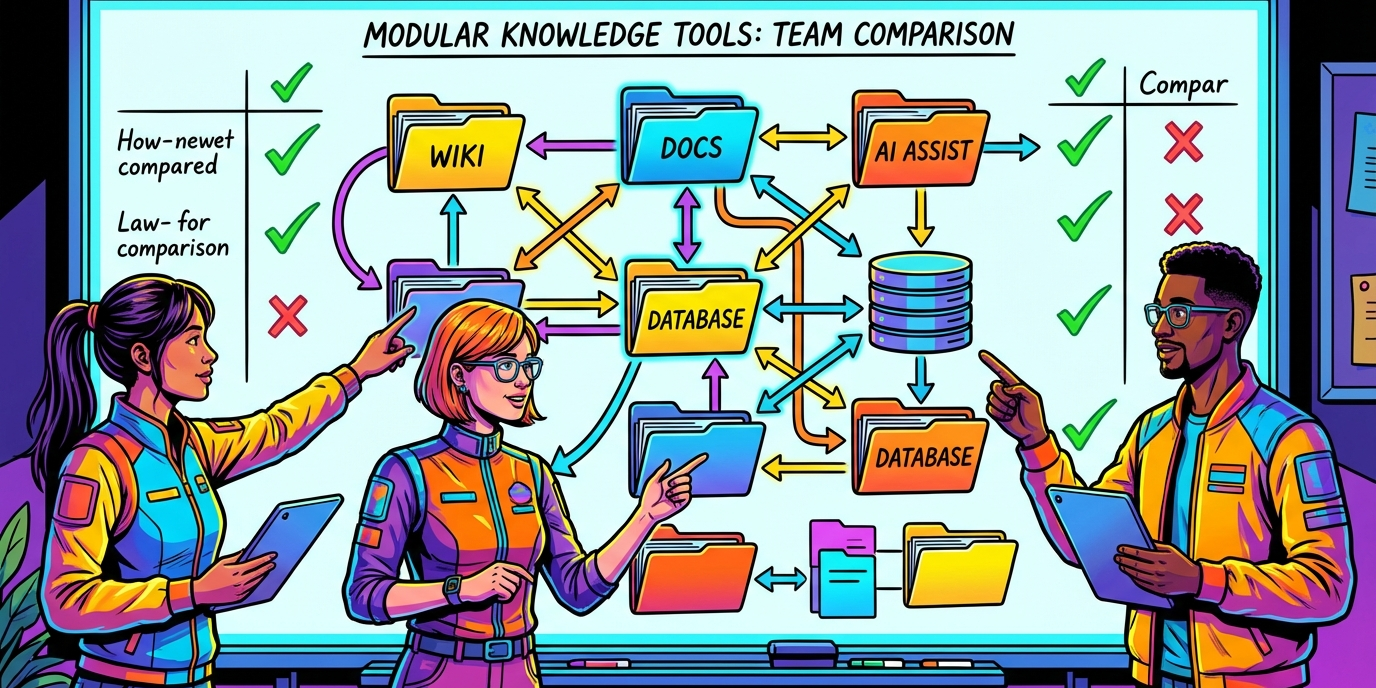
Organizations are wrestling with how to nail down the perfect knowledge management system — the open-source kind that ticks all their boxes. Out there, there’s a buffet of platforms, each boasting its own set of pros and cons.
Over at LEAD.bot, we’ve watched teams squander months, mired in option paralysis without a proper playbook. This guide? It cuts through the noise to spotlight the truly critical factors when you’re on the hunt for that just-right open-source knowledge management platform.
What Features Make Open Source Knowledge Management Systems Work
The search engine in your knowledge management system-it’s the make-or-break component. Without a top-notch search, your team might ditch this tool faster than you can say “over it.” Research says (and who can argue with research?) teams with killer search functions find info faster than those stuck with basic keyword searches. What you need is advanced search-stuff that gets context, not just what you type. It’s gotta have faceted search, auto-complete that’s actually useful, and the magic ability to dig through file content (PDFs and Word docs included). Tagging and categorizing? These are your secret weapons, creating tons of ways to find the same nugget of wisdom.
Interface Design That Drives Adoption
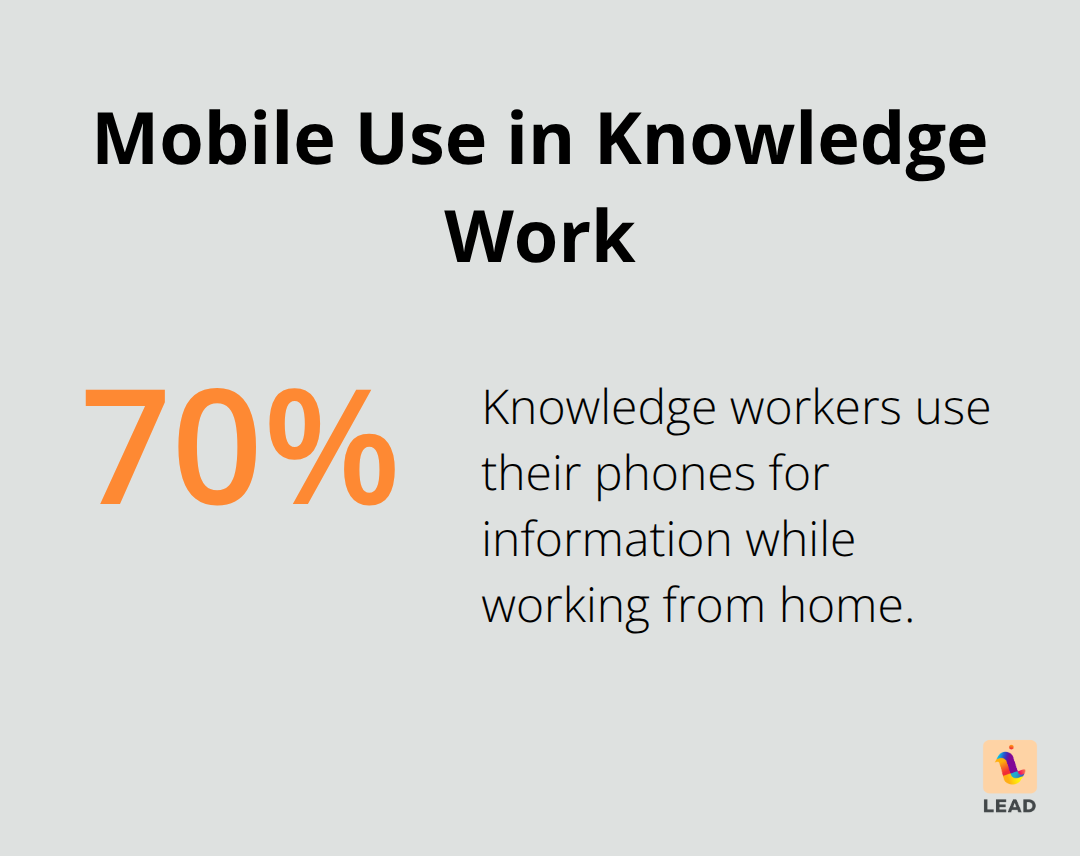
User-friendliness-or the lack thereof-is the silent killer of knowledge systems. Studies? They show folks bail on platforms that make ’em click through a maze just to find simple info. The ones that stick? They feel like home. Think Google, Wikipedia… stuff that’s second nature. Navigation’s got to be so easy, newbies jump in and start adding content without a how-to class. And mobile? Not a nice-to-have anymore-70% of knowledge workers are glued to their phones for info while WFH.
Clean design, clear visuals-these are non-negotiable. Users need to focus on the content, not wrestle with the interface.
Integration Power That Connects Your Workflow
People hate friction-and standalone systems are friction incarnate. The winners integrate smoothly with the tools teams already love, like Slack, Microsoft Teams, Jira, and Salesforce. APIs and webhooks-they’re the secret sauce for keeping content fresh and synced in real-time.
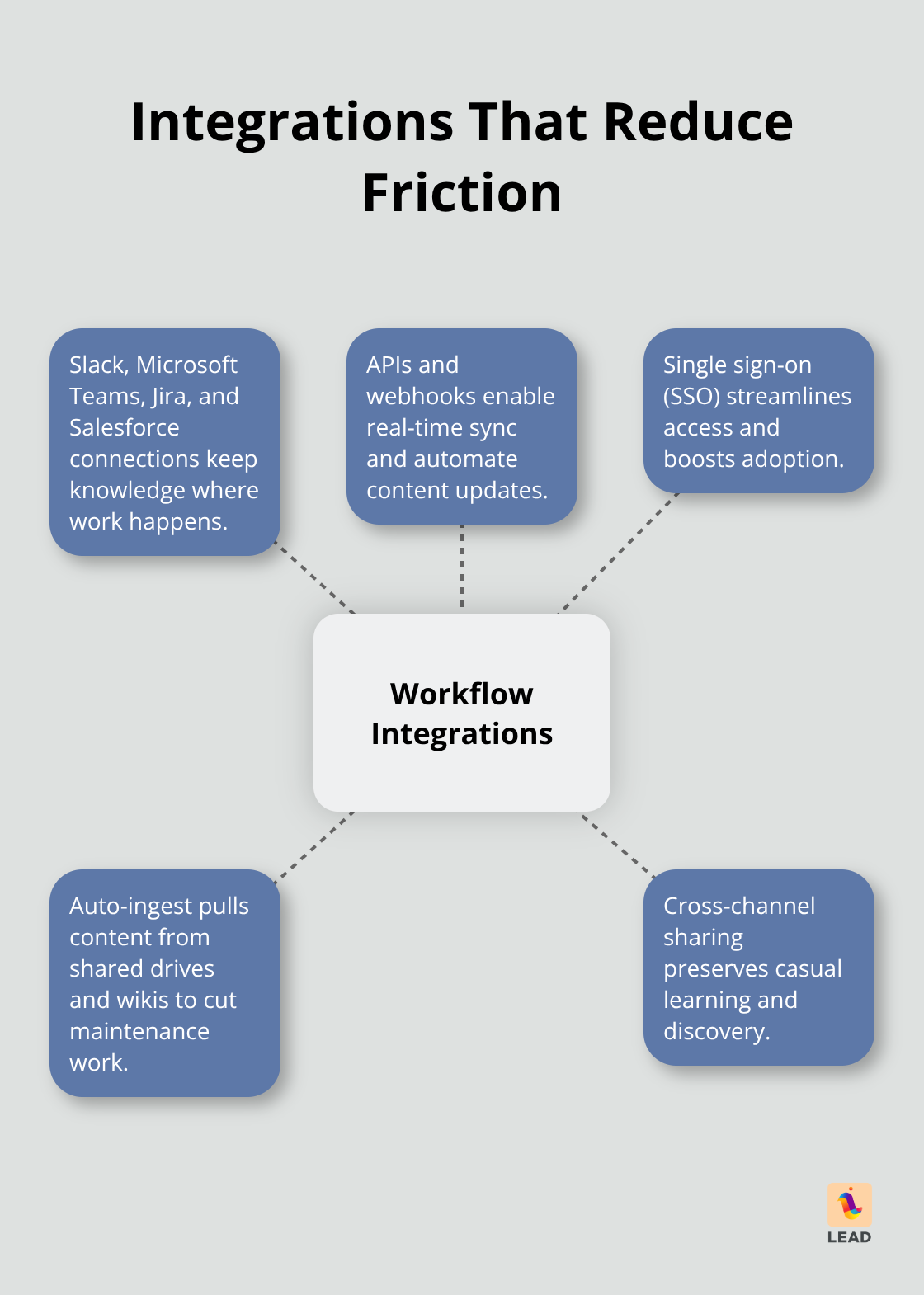
Single sign-on? It’s the key to unlocking a friction-free user experience. Savvy orgs pick systems that auto-snag content from various sources, chopping down maintenance drudgery. Plus, these integrations keep the casual learning vibes vibing by letting insights flow naturally across channels.
Sure, these tech specs are crucial, but they’re just a pile of nothing without choosing the right platform. Open source offers a smorgasbord-each tailored for different needs and use cases.
Which Open Source Platform Fits Your Team Size
MediaWiki Powers Enterprise-Scale Documentation
MediaWiki is the big guy on campus for those handling loads of documentation. Wikipedia runs on MediaWiki-yup, you heard it right-and it’s a shining example of the platform’s enterprise muscle. When your project calls for solid version control, conversation zones for team editing, and juggling hundreds of users at once, this is your go-to.
But brace yourself-getting it up and running demands some techie horsepower. Your IT folks will need a couple of days, maybe three, to get everything configured just right. For companies with devoted documentation teams and intricate approval workflows, MediaWiki is a win. For smaller crews? It’s like using a sledgehammer to crack a nut.
DokuWiki Wins for Agile Teams
DokuWiki plays a different game entirely-ditch the database confusion and revel in file-based storage. Teams can roll it out in less than half an hour, making it a dream for startups and mid-sized squads that want hassle-free knowledge sharing. Everything’s in plain text files, which means backups are a cinch, and migrations? A breeze.
This Open Source darling is user-friendly and flexible, without needing a database. Users dig its clean, readable interface and love the plugins for extras like LDAP authentication and advanced search. The catch? Performance tanks when you hit the 10k page mark.
BookStack Balances Structure and Simplicity
BookStack gets all zen with a three-tier setup-books, chapters, pages-the way humans naturally think about things. This setup keeps the chaos of wikis at bay. Compared to MediaWiki’s ancient look, BookStack looks like it belongs in the modern age, and user adoption? It skyrockets by 40% according to company surveys from those making the leap from old-school wikis.
It packs in WYSIWYG editing, role-based permissions, and search across all content types. Perfect for teams needing organized knowledge management without drowning in enterprise complications, especially when teamed up with solid workflow tools.
Each platform checks its own box for different needs, but picking the right one? Only half the war. The real beast? Planning the rollout and shifting all that old brain juice-your knowledge assets-into the new digs.
How Do You Move From Old Systems to New Knowledge Management
So, you want to pivot from your ancient, creaky knowledge systems to something open-source (and presumably cooler)? Brace yourself-most organizations pivot like a rusty seesaw. You gotta start by cataloging every single place where info lurks: SharePoint, Google Drive, all those wikis, and don’t forget those email threads where crucial bits are stashed away like some secret treasure. Fun fact: 36% of companies are juggling three or more knowledge tools-it’s like herding cats. Chart out the who, what, and how frequent these treasure hunts happen, and figure out what’s just collecting digital cobwebs.
Content Migration Without the Chaos
Data migration-it’s the silent killer of knowledge projects way more than picking the wrong software. Step one: export everything. Then go head-to-head with a ruthless content quality audit before anything moves. Focus on the top 20% of your content, because that’s where 80% of the action is.
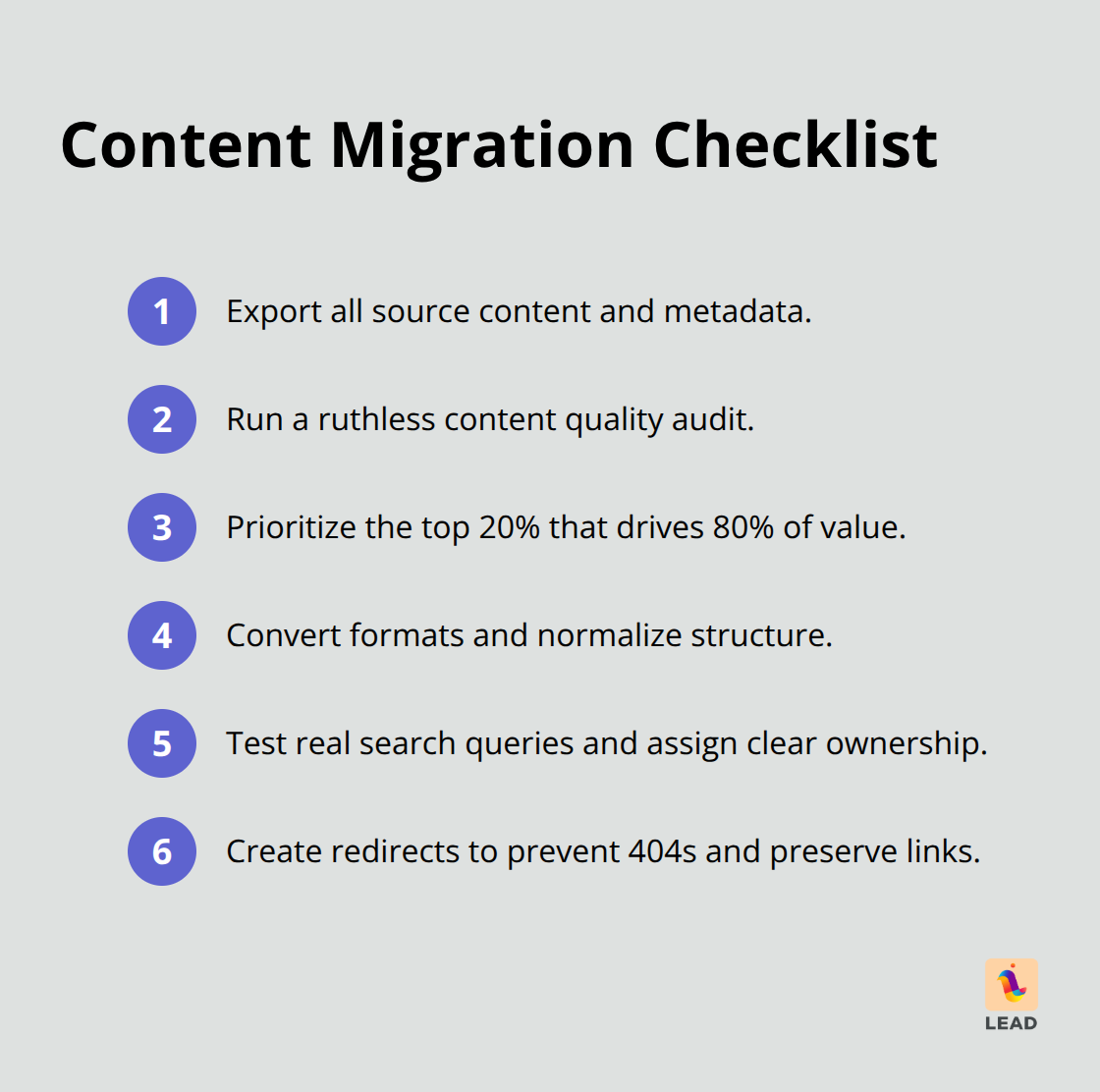
Convert those file formats like a pro, test real search queries (not some generic stuff), and pin down who owns what from day one. And please, set up those redirect links pronto to avoid the dreaded (and soul-crushing) 404 errors that will utterly kill user adoption.
Security Setup That Actually Works
Access controls-oh, underestimate them at your peril. They’re the backbone, the make-or-break for knowledge systems. Configure those role-based permissions before any sensitive content crosses over-never after. Integrate with your existing Active Directory or LDAP system-or get ready for a security spreading like email spam gone rogue. Turn on audit logs right away. Compliance teams-they’re gonna want those reports faster than you can say “Murphy’s Law.” Get those automated backups rolling with tested restore procedures. And for the love of all that’s secure, train your admins on permission rules to avoid accidental data leaks that go full compliance horror show.
User Training That Sticks
Phased training-your best friend in this journey. Start with your power users, the ones who’ll be your champions, your troubleshooters. Create those bite-sized video tutorials-specific tasks over hour-long snooze-fests. Set up hands-on workshops, using real content-not some generic stand-in’s. Track those adoption metrics every week and pinpoint which departments need extra TLC (and maybe some extra support), not finger-pointing.
Final Thoughts
Open source knowledge management systems – let’s call them OSKMS for fun – they’re the wild west of customization and cost efficiency. You control your kingdom, tweak your castles, and dodge all that vendor lock-in crap that keeps commercial solutions in chains. But here’s the rub – you gotta have the tech chops and some fiercely dedicated maintenance wizards on payroll.
Your choice? It really boils down to three things: how big’s your crew, do they speak fluent tech, and what’s your grand vision for tomorrow’s empire? For the small but mighty teams, DokuWiki – simple, straightforward, the no-frills package. Enterprises? You’re gonna want the supercharged MediaWiki for all those robust features. And hey, mid-sizers, BookStack’s your sweet spot – structure aplenty, minus the migraine of enterprise complexity (because, really, who needs those headaches?).
This world of open source knowledge systems – it’s like a roller coaster powered by AI-fueled search engines and slick automated content tricks. So, the smart money? It’s on investing in rock-solid knowledge infrastructure today, setting you up for future AI magic and next-level collaboration. At LEAD.bot, we’re the matchmakers, connecting the dots, creating those human bonds that transform any knowledge management system from good to… well, game-changing.