July has arrived together with more exciting news from LEAD.bot. We are thrilled to roll out more features that help you run better employee connection programs with a higher engagement rate.
Dashboard Access Controls
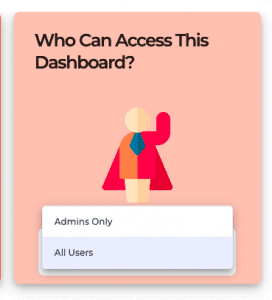
Microsoft Teams users can now authorize users who can access their dashboard. The two options are “All Users”, in which case all users in the organization will have access, or “Admins Only” in which case the dashboard is only available for Administrators (users who installed LEAD.bot.Bot to a Team, or members that have been added as Admins by other administrators). According to the dashboard access settings, the selected users will then be able to access the dashboard via their unique sign-in link (as shown below). All other users will receive a response indicating that they do not have sufficient permissions to access the dashboard.
Enhance Employee Connection Programs with a Better Standard 24 Plan
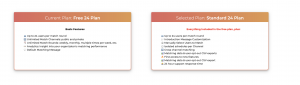
Previously there are some limitations for small organizations that use a free 24 plan. The 24-free plan does not offer advanced features and the option to export matching data insights. Now small organizations will have the opportunities to choose a better Standard 24 plan that allow them to access premium features, such as cross channeling-matching, and different channel scheduling. The dashboard will now display the difference between the Free 24 Plan and the Standard 24 Plan.
Create a Purposeful Match for Mentorship or New Hire Onboarding Buddy Program with Manual Matching function.
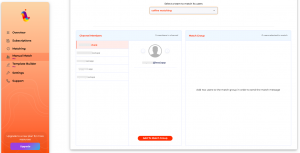
Admins can now manually select and create a match for specific users. This feature is requested by many of LEAD.bot’s users. We found it serves the purpose of creating a meaningful match, such as a mentorship program, DEI discussion, or 1:1 discussion with the manager or other team members. Now the manual matching supports a group of 2 – 6 people for each match.
It is easier to set up, simply go to the “Manual Match” tab, Select Channel, then Select Users and Create Match.
Brings Teams Closer together with Cross-Team Matching
Activating the cross-channel matching feature opens up matching between all users within two different channels to have entire channels of people intermingle. Introducing different teams within your organization to each other – even if they don’t always work together, like the #sales team and #engineers team – is a surefire way to improve your company’s culture. Cross-channel matching helps your organization smash down business silos, create greater learning opportunities, implement mentorship programs, and make work a better place to be. Please refer to the tutorial video on how to set up Cross-Team matching.
Gain More Insights and Understand Employee Ambitions and Passion with Post-matching Survey
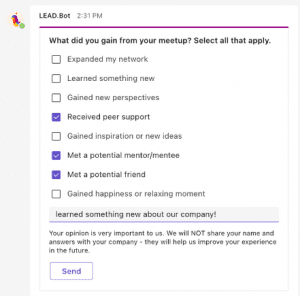
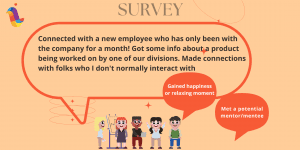
In order to support organizations to have a better understanding of employees’ loyalty and ambitions, we introduce the post-matching survey that provides better insights into identifying culture champions and highly passionate teams. Ultimately, LEAD.bot is building the ultimate OS for people operations using intra-workforce connections as its core currency.
Easy to Set Up and Manage with the New Admin Dashboard
The new Admin Dashboard provides additional tutorials and resources for onboarding that make it easier for admins to set up match or manage the matching programs.
Increase Engagement Rate with New Match Cards Templates
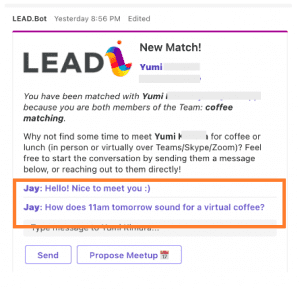
We have made some changes to the match cards such as changing different fonts and colors for the user conversation part, which would attract more attention and drive more participation.