In the current climate of remote and hybrid work, employee collaboration has never been more crucial. Human Resources professionals are turning to LEAD.bot, a leading employee engagement software that goes beyond a simple virtual coffee app, now available on Microsoft Teams. LEAD.bot is designed to foster meaningful human connections and establish strong internal bonds at work. Its innovative features allow organizations to customize and optimize their employee connection programs, leading to heightened retention and productivity.
What are the new features in this article?
- Dashboard Access Controls for Microsoft Teams Users
- Enhance Employee Connection Programs with a better Standard 24 Plan
- Create a Purposeful Match with Manual Matching Function
- Brings Teams Closer Together with Cross-Team Matching
- Gain More Insights with Post-Matching Surveys
- Easy to Set Up and Manage with the New Admin Dashboard
- Increase Engagement Rate with New Match Cards Templates
Let’s explore each feature and its benefit:
Individual Team Schedules for Matching
Different teams have different needs and working styles. With this feature, each team can tailor their matching schedules to their requirements, providing the flexibility necessary for optimal performance. This feature is also particularly beneficial for cross-team matching.

Cross-Team Matching to Build Closer Connections in Microsoft Teams
Cross-team matching introduces different teams within your organization to each other – such as the #sales team and #engineering team – even if they don’t typically work together. By breaking down business silos and fostering inter-team dialogue, LEAD.bot can improve your company culture, stimulate greater learning opportunities, implement mentorship programs, and make the workplace a more pleasant and productive environment.

Increase more Matching Opportunities with Enable/Disable repeat matches once users have met all other users
For smaller teams, admins can enable repeat matches once all users have met each other. This increases connection opportunities and ease management. Just simply go to “Settings” and “Enabled” the repeat matching function when you want your team to rematch. For larger organizations (> 200) we recommend disabling the repeat match.

Enable/Disable matching for singer users.
While employees can always disable matching by typing the command themselves, now admins can disable the match for them while they are on vacation, which ensures they won’t miss their matches while traveling.


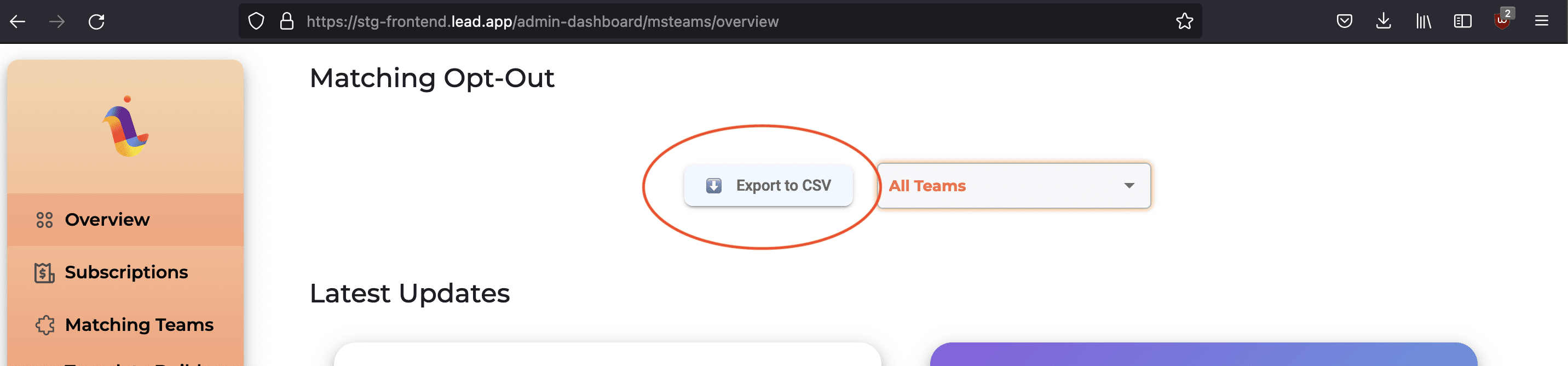
Export a CSV file of users that have opted out of matching
This feature provides HR managers a better insight into the employee matching programs, which allows better analysis and planning for future matches.
Employees can now type “Schedule” to know their matching schedule.
With this feature, every employee can be proactive and prepared to connect with their matching teammates.

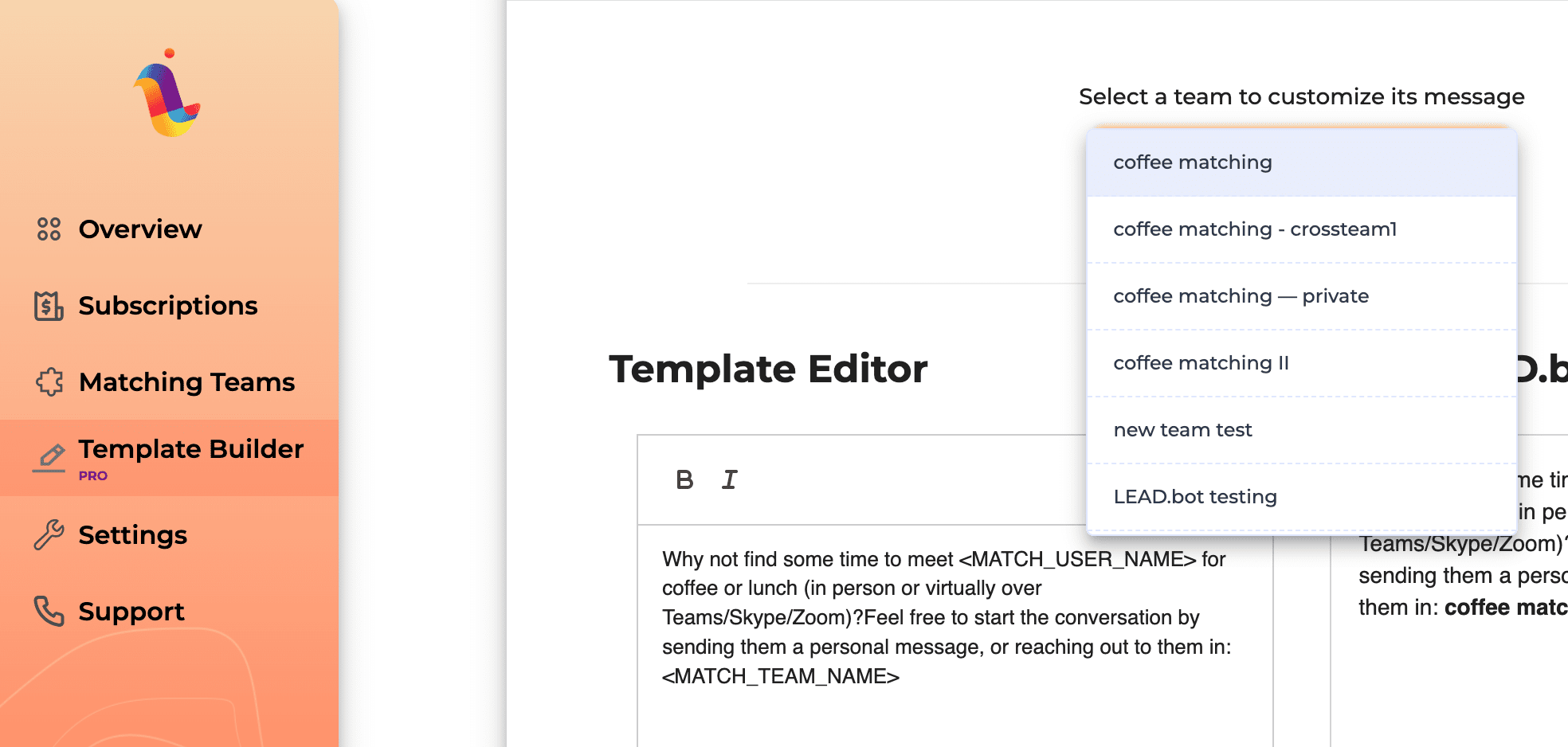
Customize Template for different Teams
With the template editor, HR Managers can now design and customize a unique template that suits your team and organization. Let your creative mind works its magic way. We found that with customized templates, employees are more likely to open up and connect. Here are some of our latest icebreaker topics that you can use for your teams. We will continue to add more intro ice-breakers to keep things interesting.
Considering the benefits of matching people based on different teams, locations, seniorities, or hobbies can significantly increase the participation rate. By considering time zone differences and focusing on the communication benefits between certain teams, HR can enhance participation and foster business results.
With these new features, LEAD.bot continues its mission to be the number one employee collaboration tool compatible with Microsoft Teams, empowering a people-first culture, and building meaningful connections and internal bonds among your teammates. LEAD.bot goes beyond being just a virtual coffee app to being a comprehensive solution for employee engagement.