
Virtual coffee chats—what’s the deal? They’ve turned into a real game-changer for networking and boosting your career in this digital-first world we live in. At LEAD.bot, we’re all about those meaningful connections, even when shaking hands isn’t on the agenda (because, you know, pixels).
Now, let’s dive into the how-to of snagging a virtual coffee chat. It’s not rocket science but knowing the ropes can expand your network and, who knows, maybe lead to your next big gig. Whether you’re a seasoned vet or a rookie in the career game, getting this skill down is like strapping a turbo to your professional growth. Enjoy the ride.
Why Virtual Coffee Chats Matter
The Rise of Digital Networking
Virtual coffee chats have emerged as the backbone of modern networking. They’re not just some passing trend; no, they’re now a permanent fixture on the professional landscape. This whole digital coffee scene? It offers a unique blend of laid-back convo and career-building gold that’s tough to beat.
Breaking Geographical Barriers
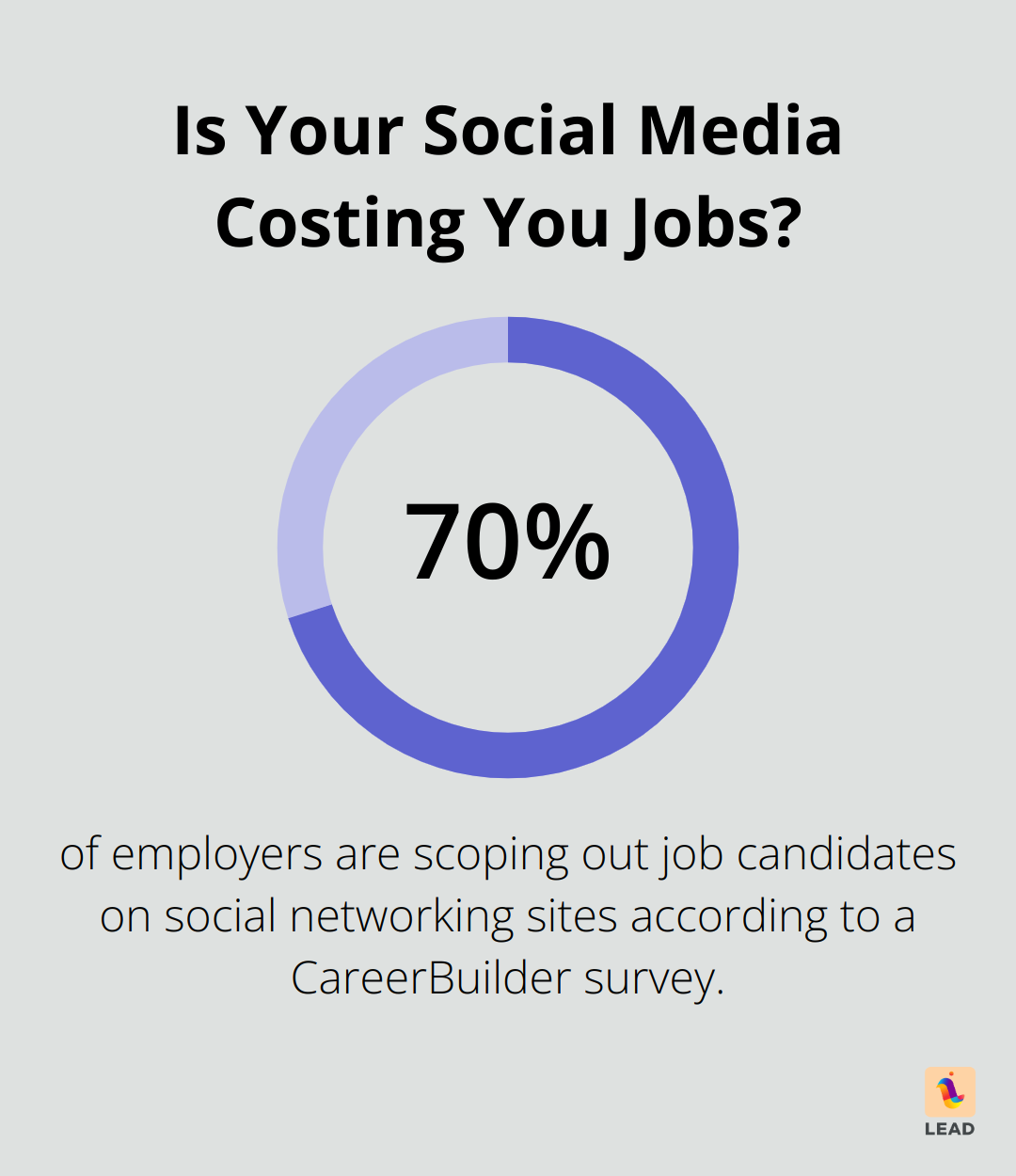
Building professional relationships remotely isn’t a nice-to-have-it’s a must. A CareerBuilder survey found that 70% of employers are scoping out job candidates on social networking sites. These virtual coffee meet-ups let you forge connections from anywhere on the planet. Gone are geographical constraints, and you’re networking with industry bigwigs across the globe.
Expanding Your Professional Reach
In today’s digital scene, your network? Yeah, it impacts your career trajectory big time. Virtual coffee chats aren’t just a way-they’re the way-to multiply that network tenfold. They’re low-pressure, ideal for meeting new peeps and discovering different industries or roles. Plus, zero commute means you can squeeze in more chats, make more connections, and seize more opportunities.
The Power of Informal Conversations
Don’t sleep on casual convos. They can lead to mentorship opportunities, job referrals, or even partnerships. These chill chats create genuine connections-something those stuffy interviews or networking events often miss out on.
Transforming Workplace Dynamics
Virtual coffee chats have the power to shake up workplace dynamics entirely. They dismantle department silos and breathe life into a culture of ongoing learning. Whether you’re aiming to shoot up the corporate ladder or switch industries, mastering virtual coffee chats is a skill that’ll keep on giving throughout your career.
Now that you’re clued in on the significance of virtual coffee chats, let’s dive into prepping for your request. The next section’s got the lowdown on identifying potential contacts, digging into your target’s background, and setting clear goals for the chat.
How to Prepare for Your Virtual Coffee Chat
Scout Your Network
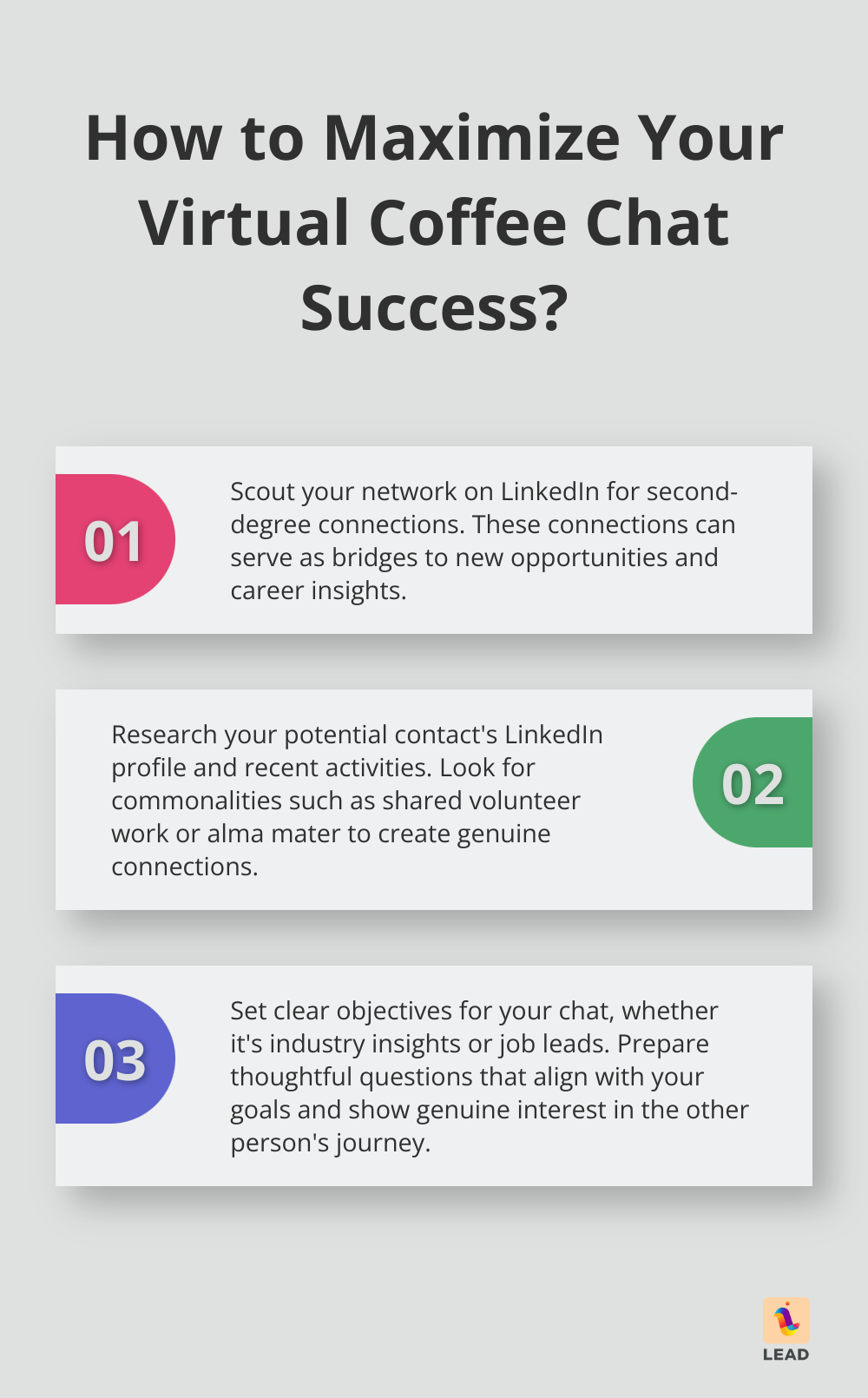
Dive into your network… seriously, jump in. LinkedIn-it’s the playground for grown-up career dreams. Start hunting for those second-degree connections in that industry or role you’ve been eyeing. Think of these folks as the bridge to your next gig. Networking isn’t just a buzzword; it’s your lifeline to opportunities, career wisdom, and resources. So yeah, poke around and see what treasures you might find.
Do Your Homework
Once you’ve locked onto a potential contact-do your homework. Dig into their LinkedIn universe, check out their latest posts, any articles they’ve churned out. Find those little commonalities (shared volunteer work, same college) that can turn a bland chat into a genuine connection.
Set Clear Objectives
Before you fire off that invitation, have a chat with yourself. What’s the goal here? Are you looking for industry insights, career advice, or maybe a job lead? Clear goals help keep your conversation on track. Networking is your gateway to job opportunities, professional bonds, and nuggets of wisdom.
Prepare Thoughtful Questions
Take some time to craft questions that’ll make your chat pop. Align them with your goals and show that you’re genuinely interested in the other person’s journey. Balance the professional with the personal to keep the conversation flowing.
Choose the Right Platform
Pick your battlefield-uh, I mean, platform. Zoom, Google Meet, or old-school audio calls? Some folks might even prefer a good text exchange. Be ready to roll with your contact’s preferences. (LEAD.bot can smooth things out across platforms, making it a breeze to schedule and manage these sessions.)
Once you’ve set the stage, it’s time to pen that killer invite for your virtual coffee chat. Next up, we’ll craft a subject line that pops, introduce yourself in a flash, and lay out why you’re reaching out.
How to Craft an Irresistible Virtual Coffee Chat Invite
Nail That Subject Line
First impressions – they’re everything. Your subject line? It’s the opening act. Short, snappy, with a dash of intrigue. Go for something like “Coffee chat? Let’s connect!” That’s your winner – engaging, personal, sparking a sense of connection. Stay clear of snooze-fests like “Meeting request” – as thrilling as laundry day.
Make Your Intro Pop
You’ve got mere seconds… grab ’em. Kick off with a quick, punchy intro that nails who you are and why you’re worth their time. “Hi [Name], I’m [Your Name], a [Your Role] who’s been all about your work on [Specific Project/Topic].” Makes it clear – you’re not just another email in their overflowing inbox.
Get to the Point
Why’re you reaching out? Cut to the chase. Specifics – show them what’s in it for both of you. “I want to discuss [Specific Topic] and drop some insights from my world in [Your Field].” You’re giving, not just taking – reciprocity, folks.
Suggest a Time and Platform
Make it stupidly easy to say yes. Drop a couple of time slots, show you’re flexible. “How about a 20-minute virtual coffee next Tuesday at 2 PM or Thursday at 10 AM?” And for the tech – Zoom works, but you’re cool with whatever they’re vibing with.
Keep It Short and Sweet
Their time’s precious – don’t ramble. Aim for a tight 3-4 short paragraphs, tops. Wrap it up with a big clear CTA: “Let me know if those times work or if there’s something that suits you better.”
The game’s all about making that “yes” as effortless as possible. Follow these tips – land that virtual coffee chat and start stacking your network. (And if you want this smoother than a cold brew on a hot day, check out tools like LEAD.bot to automate those connections.)
Final Thoughts
Nailing the virtual coffee chat ask? Game changer for your networking in today’s digital jungle. Prep like you’re about to meet the queen, craft that can’t-say-no invite, and make it a breeze for them to hit “yes.” After you chat? A quick “thanks” note-it’s like the LinkedIn fist bump that keeps the door wide open.
Networking’s not a “job search” thing; it’s an all-the-time thing. Toss over an article that doesn’t bore, give them a shoutout on their new gig, or just drop a casual “hey” now and then. These little gestures? They build a network that’s pure career gold.
And don’t forget to harness tools that turn you into a networking superhero. LEAD.bot is your sidekick-it clicks with Slack and Microsoft Teams for virtual coffees, sync-ups, and all the check-ins you didn’t realize you needed. (Think: team spirit boost without you breaking a sweat.)