
In 2023, Forbes highlights a significant shift in work dynamics, with 12.7% of full-time employees opting for remote work, and an additional 28.2% seamlessly adopting a hybrid model.
Addressing the challenges of the evolving workplace, Gartner’s “Top 5 Priorities for HR Leaders in 2024” focuses on reshaping organizational culture. Gartner proposes a proactive solution, emphasizing leadership that aligns and connects employees with the changing culture, ultimately fostering engagement, productivity, and a sense of belonging. As Gartner suggests, “The best organizations prioritize culture connectedness by enabling employees to engage with the culture wherever they work, establishing an emotional connection and equipping teams to create vibrant and healthy microcultures. By prioritizing these elements, organizations can create a strong culture that drives employee engagement, enhances productivity, and fosters a sense of belonging and purpose.”
Despite the availability of communication and collaboration tools, specific challenges demand attention. In the progression of remote work, organizations must strategically adopt innovative measures, such as virtual coffee chats, to provide employees with opportunities for connection that emulate face-to-face interactions.
What is a Virtual Coffee Chat?
A virtual coffee chat is an online meeting where professionals connect and converse in an informal setting, similar to an in-person coffee meet-up, but facilitated through digital platforms. The aim of these chats remains the same as their physical counterparts: building professional relationships, exchanging industry insights, exploring potential collaborations, and facilitating career development.
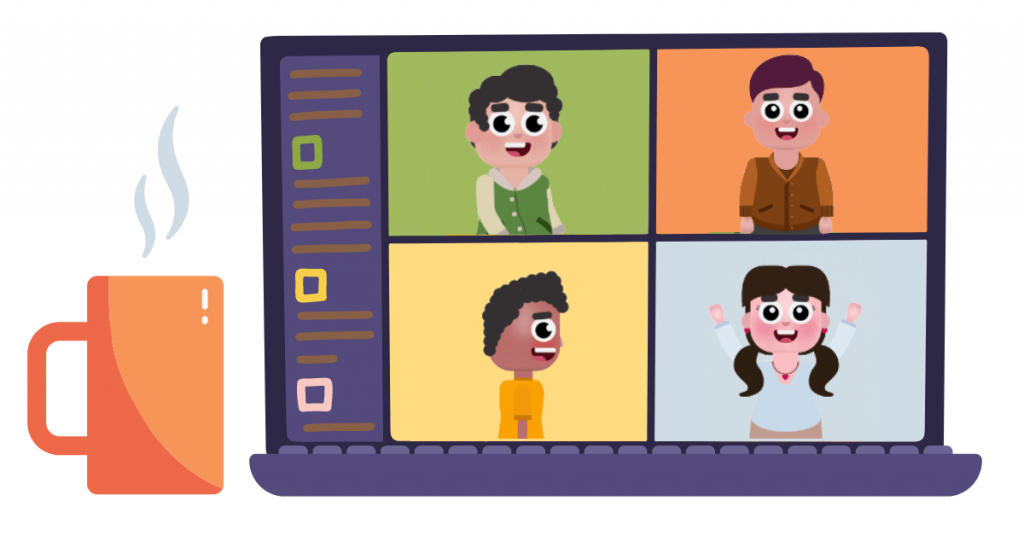
Virtual coffee chats can take place via various digital communication tools such as Slack, Microsoft Teams, Google Meet, or other video conferencing platforms. These virtual get-togethers provide flexibility and convenience, enabling participants to join from any place, eliminating geographical limitations and the necessity for travel.
The discussions during a virtual coffee chat can cover a wide range of topics, including career aspirations, current projects, industry trends, personal interests, and objectives for the chat. This one-on-one interaction allows for an exchange of ideas and experiences, leading to valuable insights and meaningful workplace friendships and connections that can further career advancement.
In addition to nurturing professional relationships, virtual coffee chats also offer a platform for refining networking skills in the digital age. Active listening, asking engaging questions, maintaining eye contact (even if through a screen), and ensuring follow-up communication after the chat, are crucial elements of successful virtual networking.
Just like traditional networking, virtual coffee chats require a degree of preparation. It’s important to ensure a stable internet connection, a quiet environment, and familiarize yourself with the chosen video conferencing platform’s functionality to ensure a smooth and productive conversation.
How to Effectively Organize a Virtual Coffee Chat?
Brew coffee, brew connection
Indulge in a virtual coffee chat – because, really, what’s a coffee chat without coffee? Dedicate a friendly 15-30 minutes for participants to leisurely savor their favorite hot beverages while engaging in casual conversation. Enhance the experience by allowing participants to accompany their coffee with light snacks or sweets, ensuring an even higher attendance rate. Some organizations have also embraced the idea of virtual lunches for added enjoyment.
Keep things chill & comfortable
LEAD.bot facilitates laid-back chats, setting the stage for relaxed and natural conversations. Explore the fun side of online meetings by using features like filters or changing backgrounds. For a quirky twist, challenge everyone to communicate solely through emojis.
Go for video calls
Encourage participants to opt for video calls – they’re top-notch alternatives to in-person meetings, offering visual cues and fostering genuine connections. As comfort grows, some may transition to more organic messaging platforms like Slack. As comfort levels increase, participants may naturally shift towards more organic messaging platforms such as Slack.
It is crucial to be considerate of individual preferences and honor the chosen communication medium, as certain employees might feel more comfortable with alternatives to video calls.
App it up
LEAD.bot effortlessly integrates with Microsoft Teams and Slack, making virtual coffee interactions seamless. The coffee chat feature is designed to emulate the spontaneous and informal conversations typical in office settings during coffee breaks or watercooler chats. It automates the pairing of colleagues for these virtual meet-ups, aiming to alleviate stress, foster camaraderie, and enhance overall employee well-being and productivity through regular, informal communication.
Admins can customize their interaction schedule, while LEAD.bot streamlines the process, including automated scheduling with calendar integration, facilitating the organization of coffee meet-ups by effortlessly identifying suitable time slots for everyone involved.
[Discover the success story of a customer who effectively launched their LEAD.bot program.]
Schedule coffee time
Slice some time from your employees’ calendars for Slack coffee meetups or virtual lunches on Microsoft Teams. It’s a proactive move showcasing the organization’s commitment to socializing, creating a win-win: employees enjoy a refreshing break, and the organization fosters a more connected workforce.
Get your conversation starters ready
Especially crucial for first-time one-on-one meetings with colleagues, offering conversation points can prevent awkward silences without overplanning the entire discussion.
Here are some easy starters to share with both attendees before your informal meeting:
- How has your day been so far?
- What hobbies do you enjoy outside of work?
- Are you a pet owner or do you aspire to be one?
- Are you working on picking up or getting better at any skills right now?
- What’s one thing that’s happened to you recently that you’re really excited about?
- Have you visited any interesting places in town recently?
- What’s a fun fact about you that not many people know?
Remember to keep it light and humorous, steering clear of work-related questions. For more examples of good coffee chat questions, check out Strategic Virtual Coffee Chat Questions for Enhancing Your Networking.
Embrace feedback
Collect feedback to enhance future sessions. Recognize introverted preferences—some might prefer solo downtime, so give them the space to unwind.
Final Thoughts
As we navigate the ever-changing landscape of remote work, it’s essential to adapt and cultivate connections in innovative ways. The emergence of virtual coffee meetings, facilitated by apps like LEAD.bot, brings a refreshing element to the digital work environment. By embracing casual interactions, spicing up coffee chats, and encouraging video calls, organizations can bridge the gap and foster a more connected and engaged workforce. Remember, the key is not just in adopting these tools but also in gathering feedback, respecting individual preferences, and maintaining light and enjoyable conversations.
So let’s continue to brew connection, keep it chill, and make virtual coffee breaks an integral part of our remote work routine.