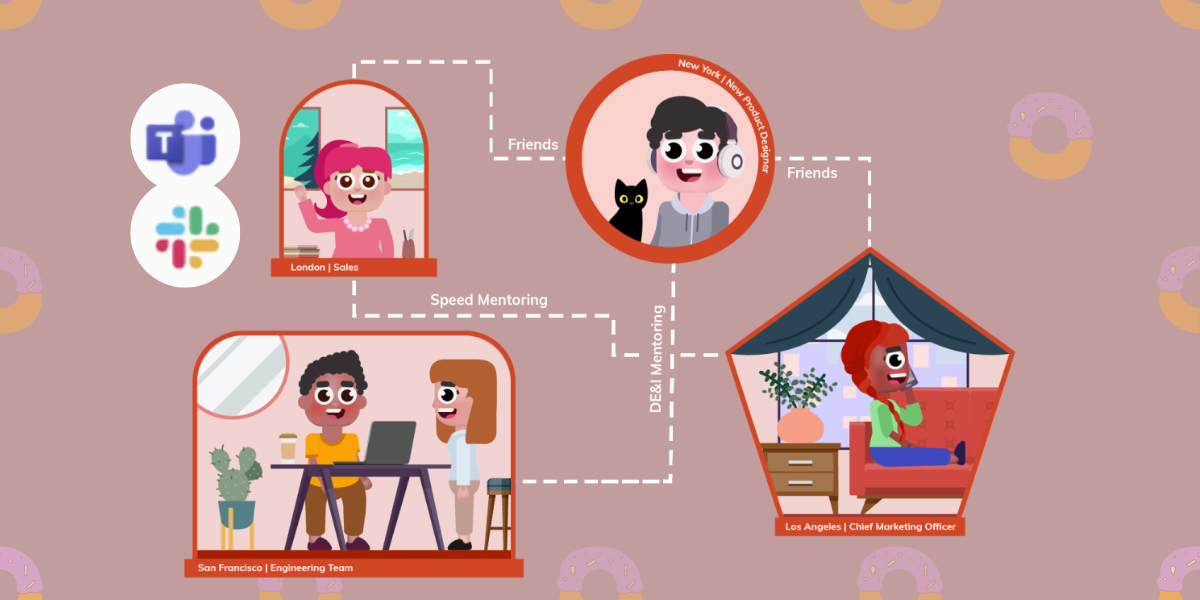
We’ve all likely heard after the pandemic that remote work or hybrid work is “the new normal” or that it’s the way of the future. The increasing shift towards remote and hybrid teams is transforming how we work and interact.
It’s completely disrupted traditional workflows and processes, creating a shift that has opened up opportunities for companies to be more agile, efficient, and cost-effective. People also get to enjoy a better work-life balance, find opportunities in the most unassuming places and rethink their professional lives.
But while this Microsoft study found that just about 90% of workers reported good productivity at work in a remote/hybrid setting, loneliness and disconnection continue to be issues. So how do you tackle this challenge?
Enter collaboration apps that work with our beloved professional tools, Slack and Microsoft Teams. These productivity tools have become essential in the new era of work, and here, we’ll take a deeper look at their significance.
Why are Socialization and Collaboration Important When Working Remotely?
Employee engagement is important for any team, but it’s especially crucial when working remotely or in hybrid teams. With the right collaboration app, it’s possible to enhance remote employee engagement and foster a more productive and connected team. Other than working together on projects and having fun together, we need to keep analytics, feedback, onboarding processes, and internal and external mentorship top of mind.
Hybrid or remote teams often lack the buzz of an office environment, which can lead to members feeling disconnected from their colleagues, and feeling like they’re not part of a team. No matter how many emojis we use or how many webinars about team communication we attend, it won’t compensate for the lack of physical presence.
Socialization and collaboration apps help teams stay connected by providing an opportunity for remote members to bond with each other and build relationships. Apps also facilitate collaboration on projects, giving everyone a chance to contribute their skills and ideas. This can create a sense of unity and ownership, leading to better results.
There are also many reasons why small talk and other get-togethers are vital when it comes to a productive workplace. From being memorable as a colleague to creating tighter bonds, it’s a win-win for everyone.
Other great reasons why collaboration is key include the following:

• Encourages creativity and problem-solving
• Helps to break down silos and build bridges between teams
• Promotes cross-functional learning
• Increases productivity
• Leads to better decision making
What is a Collaboration and Productivity Tool on Slack and Teams?
Slack and Microsoft Teams – two of the most popular remote collaboration and asynchronous communication tools – offer a range of features that help users to stay connected, work together efficiently and share ideasThey accommodate teamwork across time zones for remote workers, sending notifications, messages, and documents to colleagues in real-time.
Additionally, they boast many integrations and add-ons to help users get the most out of their experience.
• Slack – Slack is a cloud-based collaboration workspace that helps teams stay connected and productive. It offers a range of features, such as instant messaging, file sharing, video conferencing, and task management.
• Microsoft Teams – Microsoft Teams is also a productivity tool built for remote working. It provides access to Office 365 applications such as Word, Excel and PowerPoint from anywhere with an internet connection. Teams also support voice calls, video conferencing, and partner apps to extend their capabilities.
The key difference between Slack and Teams is their focus. Whereas Slack’s main focus is messaging, Teams places emphasis on coordinating workflows among team members. This makes it the ideal option for teams that need to collaborate on complex tasks or projects with multiple moving parts.
Collaboration and productivity tools help to bridge the gap between these platforms and enable users to collaborate more effectively. While you won’t be able to show up with birthday cake and balloons, make small talk with Jim at the water cooler, or give a pep talk in the break room, these apps help to create a sense of employee connection and team camaraderie.
There are Donut alternatives apps that introduce and connect coworkers like LEAD.bot …., you’ll be interested to know that there is a wide range of similar apps available. Perhaps you want to plan virtual coffeepals and donut, a virtual lunch, a more general virtual watercooler chat session, or birthday celebrations – there’s bound to be something that fits your needs.
A couple of popular alternatives include:
Standuply – Great for virtual daily standups
LEAD.bot – A comprehensive team-building AI software that focuses on an informal collaboration network.
Why Do Organizations Need Collaboration Tools?
Collaboration isn’t by any means a novel concept, but the need for collaboration tools has become increasingly crucial as organizations of all sizes transition to remote and hybrid working models. It’s certainly harder communicating in general online – we can’t truly read body language, we’re unable to interpret a sarcastic comment over messaging, and we don’t have physical access to our colleagues when we need it.
Video conferencing tools like Zoom are a great way to stay in touch with colleagues, but they lack certain functionality that makes team collaboration easier. This is where hybrid and remote teams turn to collaboration tools.
Let’s take a closer look at how collaboration tools can transform an organization:
Plan virtual meet-ups of all sorts
Virtual meet-ups are a great way to keep teams connected and foster employee engagement. Using these tools, you can easily organize virtual happy hours, team-building activities, or even something as simple as a virtual donut and coffeepals chat. If you’ve just onboarded new team members, icebreaker games are a great way to get everyone comfortable with each other quickly.
Socialize on everyone’s own time
Despite how far apart you may be, these apps let everyone share their own updates, news, or thoughts in a space that everyone can access at any time – no more waiting for the weekly team meeting! Maybe you want to get opinions on a company’s social, or simply want to share an article that you found interesting.
By having an open platform everyone can access at any time, it’s easier than ever for teams and individuals to communicate without having to wait for the right moment.
Streamline communication
Communication is key to any successful organization, but it can be difficult to stay organized when not everyone is at the office. Having the right tools makes it easier to keep track of conversations and due dates.
While video calls are useful, there can be issues with time zones, scheduling conflicts, and other things that can arise. Collaboration tools allow everyone to be on the same page, even if they’re miles apart.
They also offer not only threaded conversations but also private channels for more sensitive topics. This makes it easier for teams to discuss their work without worrying about who’s listening in. Plus, these tools also support file sharing, which is great for when you need to quickly circulate documents or images during a discussion.
Develop a culture of continuous feedback
Remote working leaves a lot of room for miscommunication, which can cause misunderstandings or even conflicts between teams. Continuous feedback is key to helping team members understand expectations, stay on track, and identify areas of improvement. Collaboration tools make it easy for managers to provide timely and constructive feedback that can help drive better performance from employees.
Increase team visibility
Collaboration tools like Slack and Microsoft Teams can help increase visibility – you can use them to share work, check in with colleagues, and give recognition for a job well done. LEAD.bot, integrated with Slack and Teams, takes this a step further by fostering intentional connections across departments. Managers can also get real-time insights into their team’s performance and progress.
Manage tasks and projects more efficiently
With the right tools, you can assign tasks, prioritize projects, and collaborate in real time regardless of where your team is located. You can also set deadlines and reminders to ensure everyone stays on track and meets their goals.
Making it easier to quickly respond to changes in business needs is what leads to maintaining high-quality standards. Take project management tools like Asana and Trello, for example – they offer powerful native automation tools to help remote and hybrid teams stay organized.
Share files easily
Google Drive and Outlook are great for sharing documents, images, and other forms of files, but collaboration tools like make it even easier. You can easily upload and share documents with your team members and get quick feedback without the need for multiple emails or lengthy back-and-forths.
Why LEAD.bot is Your Ultimate Solution
LEAD.bot is a collaboration software that can be seamlessly added to Slack and Microsoft Teams for free. It allows remote workers to collaborate seamlessly and make intentional connections across departments and teams. The software focuses on promoting a positive company culture by matching colleagues with one another on a schedule – particularly those who aren’t likely to interact with each other.
Getting together online in this way is also known affectionately as virtual donuts or a virtual donuts app: a virtual meeting with a team or team member to chat and have a good time. LEAD.bot takes it a step further by also touching upon mentorship, career pathing, goal management, onboarding and offboarding, leadership development, and workforce analytics
In a nutshell, LEAD.bot can also:
• Kick-off conversations with virtual icebreakers
• Create customized watercooler chat prompts that maximize the response rate
• Create small-group intros for opinion discussions on many topics
• Support a mentorship program
• Post-match insights, which help managers & admins understand how people feel about their matches
• Set up reviews and demos between colleagues
• Analyze your organization’s culture and challenges with data analytics and people science
With the free plan, you can use 32 Watercooler topics, match up to 24 users per round (great for small teams!), and have a customizable schedule and frequency for 1 team. If you’re looking to upgrade, our standard and premium plans can give you access to a whole host of extras, such as creating your own topics with CSV upload or an Opensmart matching topic suggestions tab.
So don’t be a stranger – take the LEAD.bot and foster an interconnected workplace ecosystem today! With the right collaboration app for your remote or hybrid team, you can transform how you work on Slack and Microsoft Teams.


Vendor comparison:
Unlike other vendors such as Donut app/ Donut bot, CoffeePals/CoffeePal app, Fika time, and Daily bot, LEAD.bot provides an exceptional level of integration with both Slack and Microsoft Teams, acting as a comprehensive communication and collaboration tool for remote work. As an alternative to Donut for Slack, CoffeePals for Microsoft Teams, and Random coffee app, LEAD.bot offers more than just a virtual coffee app or Pulse Survey tool – it facilitates effective employee engagement and interaction, making it a go-to solution for any organization seeking robust collaboration and communication tools for their hybrid or remote workforce.
Read more:
LEAD.bot VS. Donut bot for Slack users
LEAD.bot VS. Coffeepals for Microsoft Teams users