In today’s remote and hybrid work environments, employee collaboration is crucial. HR professionals turn to LEAD.bot, a cutting-edge virtual coffee app within Slack, as the preferred software for fostering meaningful human connections and workplace friendships. LEAD.bot’s latest features allow organizations to refine their employee connection programs, which in turn enhances employee retention, productivity, and collaboration.
Let’s explore each feature and its benefit:
Boost Collaboration with Larger Matching Groups (up to 7 people) in Slack:
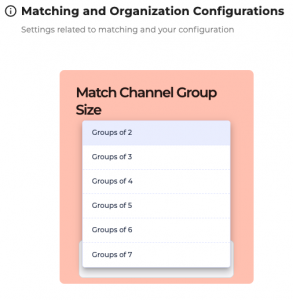
LEAD.bot, integrated within Slack, now enables admins to schedule matching groups of 2 to 7 people, expanding beyond the typical 1:1 employee matching. Larger groups encourage more conversations and knowledge sharing among employees.
Increase Participation with Channel-Level Scheduling in Slack:
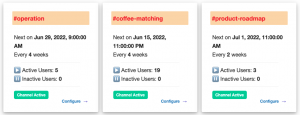
Unlike before, when matching could only be scheduled organization-wide, admins can now arrange matches at the individual Slack channel level. Each channel can add, modify, or remove schedules independently.
Strengthen Team Bonds with Cross-Channel Matching in Slack:
Activating the cross-channel matching feature opens up matching between all users within two different channels to have entire channels of people intermingle. Introducing different teams within your organization to each other – even if they don’t always work together, like the #sales team and #engineers team – is a surefire way to improve your company’s culture. Cross-channel matching helps your organization smash down business silos, create greater learning opportunities, implement mentorship programs, and make work a better place to be.
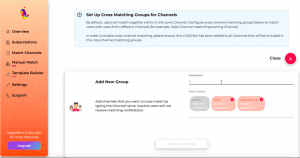
Please refer to the link below for the tutorial on how to set up cross-channel matching on Slack.
https://www.youtube.com/watch?v=vafpshPUvxI
Please also note that cross-channel matching can become very complex, so we recommend organizations to start with a simple configuration, and expand the complexity over time as necessity arrives.
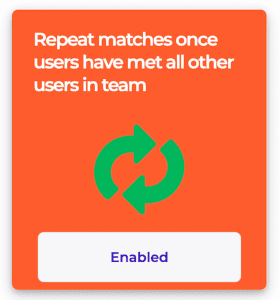
Increase more Matching Opportunity with Enable/Disable repeat matches once users have met all other users
Once users have met all other users in the team, admins can choose to repeat the matches. This feature is especially useful for managing small teams. For larger organizations (>200 members), we recommend disabling repeat matches.
Gain Deeper Insights into Current Matching Programs in Slack:
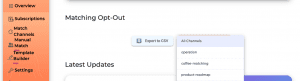
Admins can download a CSV file of users who have opted out of matching programs, allowing them to analyze user engagement and understand their current matching program better.

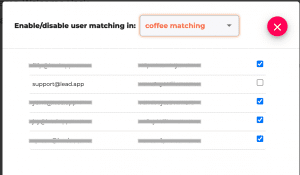
Better Understanding of the Current Matching Programs
Admin will have a better understanding of their current matching program, and analyze user engagement with the function of downloading a CSV file of users that have opted out of matching programs.
In addition to these, it’s essential to consider the benefits of matching people based on different teams, locations, seniorities, or hobbies. Doing so can significantly boost the participation rate. For instance, by factoring in time zone differences and focusing on the benefits that can be derived from communication between certain teams, participation can be increased. HR needs to demonstrate business acumen when creating cross-team matching, as this can lead to tangible business results.
As an alternative to the Donut app, these new features bolster LEAD.bot’s mission within Slack to be the leading employee collaboration software. By championing a people-first culture and nurturing meaningful connections among teammates, LEAD.bot continues to shape the future of workplace engagement.